



Creating a Dream Travel Video Before the Journey Begins
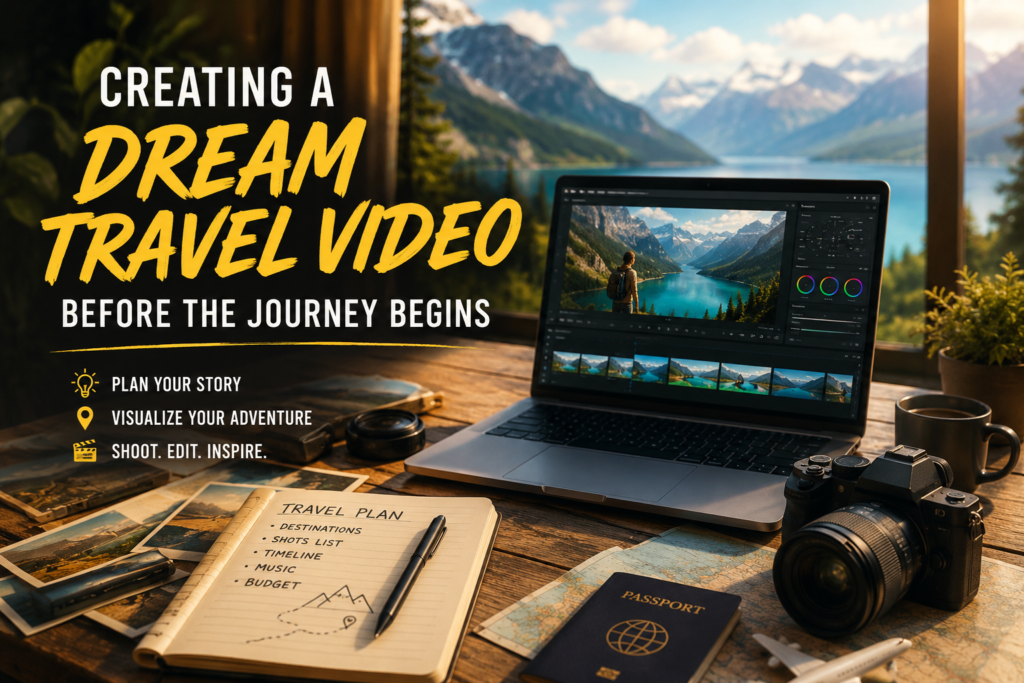
You can build a complete, cinematic travel video of a trip before you ever board a plane, using a mix of AI video generation tools, stock and reference footage, and a simple storytelling structure borrowed from professional travel filmmaking. This isn’t just a novelty exercise. A pre-trip video helps you plan shots you’ll actually want to capture, clarifies what the trip is really about beyond a list of landmarks, and gives you a finished piece to share for anticipation-building, itinerary planning, or even content you can publish before you leave.
This guide covers the full process: how pre-trip travel videos are actually made today, which tools fit which budget and skill level, how to structure the story so it doesn’t feel like a slideshow, the licensing and permission issues people overlook, and the mistakes that make these videos look generic instead of personal.
Why Make a Travel Video Before the Trip Happens

A pre-journey travel video does two things a packing list or Pinterest board can’t. First, it forces you to think about the emotional arc of the trip, not just the destinations, which usually improves the actual itinerary once you’re on the ground. Second, it gives you a shot list. If you generate or storyboard a scene of a specific market, sunrise, or trail, you now have a reference for the composition, lighting, and mood you’re trying to recreate when you get there with your own camera.
There’s also a practical audience-building reason. Travel creators increasingly publish “trip anticipation” content before departure, since it performs differently than after-the-fact recap videos and builds an audience that’s invested in following the actual trip. The same principle behind visual storytelling improving audience engagement in online presentations applies directly here: viewers connect with a narrative arc, not a list of facts, whether that’s a slide deck or a travel montage.
The Two Approaches: AI-Generated and Traditionally Assembled
There are two realistic paths to a finished pre-trip video, and most people end up blending both.
AI video generation uses a text or image prompt to produce original video clips of destinations, moods, and scenes you describe. Tools in this category (Dreamina, Runway, Pika, and similar generative video platforms) let you describe a scene like “golden hour aerial shot over terraced rice fields, warm light, slow pan” and get a usable clip without filming anything yourself. This is genuinely useful for visualizing a destination you’ve never seen, but the output is illustrative, not a real record of the place, and quality varies a lot by prompt specificity.
Traditionally assembled videos combine licensed stock footage, your own reference photos, and a personal voiceover or text overlay, edited together in a standard video editor. This approach takes longer to assemble but produces something you can be certain is accurate to the destination, since it draws on real footage rather than a generative model’s interpretation.
Neither approach is strictly better. AI generation is faster and better for stylized, dreamlike previews. Stock-based editing is slower but more grounded and more reusable, since you can swap in your own footage once you’re actually there and keep the same structure.
Building the Story Before the Shots
The single biggest gap in most pre-trip videos is that they list places instead of telling a story. A sequence of “Eiffel Tower, then Louvre, then a café” has no arc. A day-in-the-life structure does: arrival and first impressions, a midday high point (a specific meal, market, or landmark), a quieter afternoon beat, and a closing evening or sunset scene. This is the same narrative logic used in travel documentaries and works because it mirrors how memory actually organizes a trip, not a checklist.
Two techniques make this concrete:
- Alternate wide and close shots. A sweeping landscape or skyline establishes place; a close shot of food, texture, or a local detail creates intimacy. Videos that only use one or the other tend to feel either sterile or disorienting.
- Use season and light deliberately. Cherry blossoms, golden-hour light, snow, or festival lighting each carry a distinct emotional register. Deciding on this before generating or sourcing footage keeps the whole video visually consistent instead of looking like clips from different trips stitched together.
A Practical Workflow, Step by Step
- Write a one-paragraph trip narrative first, before touching any tool. What is the emotional shape of the day or trip? This becomes your shot list.
- Choose your primary method AI generation for stylized previews, stock and reference footage for accuracy, or a mix.
- Gather reference material. Even for AI-generated clips, feeding in reference images of the actual destination (not just a text description) produces far more accurate results than text prompts alone.
- Generate or source each scene according to your narrative beats, not in random order. Consistency in lighting and color grading across scenes matters more than any single clip’s individual quality.
- Edit to a deliberate pace. Match cuts to the emotional rhythm you planned, not a fixed timer. A quiet, contemplative beat can hold a shot longer; an exciting arrival sequence can cut faster.
- Add music and sound design last, once picture edit is locked, so the pacing doesn’t get built around a song that later gets swapped out.
Music, Footage, and Permission Issues People Skip
This is where competitor guides on this topic tend to stop short, and it’s where most first-time creators run into trouble after the fact.
- Music licensing. Using a popular song without a license risks a copyright claim or takedown, even on a personal or unmonetized video. The U.S. Copyright Office’s overview of fair use is a useful starting point for understanding why “it’s just a short clip” isn’t a reliable defense, and royalty-free libraries are the safer default for anything you plan to publish.
- Drone footage rules. If your pre-trip video includes drone shots, whether your own reference footage or footage you’re licensing, recreational drone flights in the US fall under FAA recreational flier rules, and many national parks and monuments prohibit drone use entirely regardless of FAA registration.
- Filming in protected or commercial locations. Some destinations, particularly US national parks, require a permit for anything beyond small-scale personal photography, especially if the footage will be monetized. The National Park Service’s commercial filming policy outlines when a permit is actually required.
- Stock footage licensing tiers. Not all “free” stock footage is free for commercial or monetized use. Check the specific license attached to each clip rather than assuming a site’s general reputation covers you. The YouTube Audio Library is a reliable free option if you’d rather sidestep licensing questions on the music side entirely.
- Camera equipment and batteries when the trip actually happens. Once the pre-trip video turns into a real itinerary, TSA rules on carrying camera gear and spare batteries are worth checking ahead of time, since lithium batteries for drones and cameras have specific carry-on requirements.
Common Mistakes
- Treating the video as a slideshow of landmarks instead of a story with an emotional arc, which is the single most common reason these videos feel generic.
- Skipping reference images when using AI generation, relying on text prompts alone, which produces results that look impressive but don’t resemble the actual destination.
- Inconsistent visual style across clips — mixing warm and cool color grading, or day and night lighting, without intention, which breaks the sense of a single cohesive trip.
- Ignoring music licensing because the video feels personal or low-stakes, which is exactly the assumption that leads to takedowns later.
- Over-editing with too many transitions and effects, which distracts from the destination itself rather than showcasing it.
Turning a Hobby Video Into Something More
Some travel creators use pre-trip videos as the opening piece of a larger content series, particularly if they’re building an audience around a specific destination or travel style. If that’s the direction you’re headed, the tooling questions expand beyond video editing: where you’ll host and publish the finished series matters as much as how you make it, which is why the tradeoffs behind choosing a custom website versus an off-the-shelf platform come up quickly for anyone turning travel content into a repeatable project. And if the ambition is a genuine content business rather than a one-off video, it’s worth looking at low-investment business ideas built around content and creative work, since travel video creation increasingly fits that model directly.
The AI video generation layer underneath all of this is part of the same broader shift toward trained models handling repetitive creative and recognition work, similar to how AI is accelerating scientific and technical discovery by taking over pattern-heavy tasks so a person can focus on direction and judgment. And if the plan is to actually publish and grow an audience around this content, understanding what backlinks do for visibility is relevant background for anyone hosting travel video content on their own site rather than a platform alone.
Frequently Asked Questions
Do I need expensive equipment to make a pre-trip travel video?
No. AI-generated clips need no camera at all, and traditionally assembled videos can be built entirely from licensed stock footage and your own reference photos. A phone and a free or low-cost editing app cover most needs.
How accurate are AI-generated travel videos of real destinations?
They’re stylistically convincing but not literal representations. Feeding in real reference images of the destination improves accuracy significantly over text prompts alone, but treat the result as illustrative rather than documentary.
Can I use popular music in a travel video I plan to share publicly?
Only if it’s licensed for that use. Royalty-free music libraries are the safer default; using commercial music without a license risks a copyright claim even on personal, unmonetized content.
Do I need a permit to film in national parks for a personal travel video?
Small-scale personal photography and video generally don’t require a permit, but larger productions, commercial use, or drone footage often do. Check the specific park’s filming policy before you travel.
What’s the ideal length for a pre-trip travel video?
There’s no fixed rule, but most effective pre-trip videos run 60 to 90 seconds for social sharing or 2 to 4 minutes for a more complete narrative piece. Longer only works if the story genuinely earns the extra time.
Should I plan the whole trip’s video before I travel, or just key scenes?
Planning key emotional beats (arrival, a highlight moment, a quiet moment, departure) is more useful than scripting every scene. It gives you a shot list without over-constraining what you’ll actually experience.
Is AI video generation replacing traditional travel filming?
Not entirely. It’s a strong tool for previsualization and stylized content before a trip, but footage of the actual experience still requires being there with a camera. Most creators use AI generation for anticipation content and real footage for the recap.
Key Takeaways
A pre-trip travel video works best when it’s built as a story, not a checklist of landmarks, and when the tool choice matches the goal: AI generation for fast, stylized previews, and stock or reference-based editing for something grounded in the real destination. The parts most people skip, music licensing, drone and filming permissions, and visual consistency across clips, are exactly the parts that determine whether the finished video looks intentional or thrown together. Start with a one-paragraph narrative of the trip’s emotional arc before opening any tool, and the rest of the process gets a lot easier to plan.
