



What Is M365? A Simple Guide to Microsoft 365
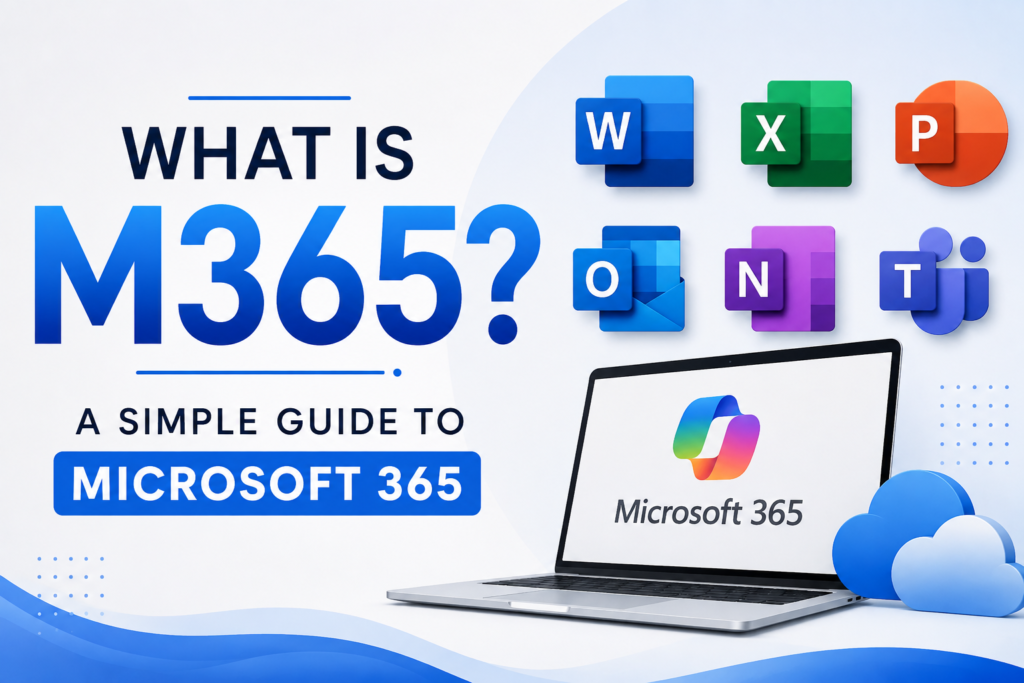
Someone at work says “just save it to M365” or “check your M365 login” and you nod along, hoping nobody asks you to explain what that actually means. You are not alone. Millions of people use this tool every single day without fully knowing what it is or what it includes.
This guide answers the question What Is M365? A Simple Guide to Microsoft 365 in plain, everyday language. No confusing tech talk. No long lists of features nobody explains properly. Just clear answers to the questions people actually search for.
By the end, you will know exactly what M365 is, what apps come with it, how much it costs in 2026, and which plan actually fits your situation, whether that is school, home, or a growing business.
What Does M365 Stand For
M365 is simply short for Microsoft 365. It is Microsoft’s subscription service that bundles together familiar apps like Word, Excel, PowerPoint, and Outlook, along with cloud storage, email, and now built in AI tools, all under one monthly or yearly payment.
Instead of buying software once and owning that exact version forever, you pay a subscription and always get the newest features, security updates, and now, artificial intelligence tools built right into the apps you already use.
What Is Included In Microsoft 365
At its core, Microsoft 365 gives you access to the tools people use every day for work, school, and personal projects. Here is what typically comes with it:
- Word for writing documents, letters, and reports
- Excel for spreadsheets, budgets, and data tracking
- PowerPoint for presentations and slideshows
- Outlook for email and calendar management
- OneNote for digital note taking
- Teams for video calls, chat, and team collaboration
- OneDrive for cloud storage, usually starting at 1 TB per person
- Microsoft Copilot, an AI assistant built into Word, Excel, Outlook, and PowerPoint to help you write, summarize, and analyze faster
Depending on which plan you choose, you may also get Publisher, Access, Microsoft Designer, Clipchamp for video editing, and stronger security tools like Microsoft Defender. Microsoft keeps a full, official comparison of every Microsoft 365 plan if you want to check exact app availability before you buy.
M365 vs Office 365 vs Office 2024: What Is The Difference
This confuses almost everyone, so let’s clear it up simply.
- Office 365 was the old name for this subscription service. Microsoft renamed it Microsoft 365 a few years back to reflect that it now includes far more than just Office apps, things like Teams, cloud storage, and AI tools.
- Microsoft 365 (M365) is the current name for the subscription version. You pay monthly or yearly, and you always get the latest updates automatically.
- Office 2024 is different. It is a one time purchase. You pay once and get that specific version of Word, Excel, and PowerPoint installed on one computer, with no future upgrades included.
So if someone asks you what M365 is compared to old Office software, the simple answer is this. M365 is the subscription version that keeps updating itself, while Office 2024 is a single purchase that stays frozen at that version forever.
Types Of Microsoft 365 Plans
Microsoft splits its plans into two main groups, one for individuals and families, and one for businesses. Understanding this split alone clears up a lot of confusion.
Personal And Family Plans
- Microsoft 365 Personal, for one person, includes the full Office apps, 1 TB of OneDrive storage, and Copilot AI access
- Microsoft 365 Family, shareable with up to six people, gives each person their own 1 TB of storage and their own set of apps
- Microsoft 365 Premium, the newest top tier plan, adds extra AI features and higher Copilot usage limits for people who lean heavily on AI tools for writing, research, or content creation
Business Plans
- Microsoft 365 Business Basic, a lighter plan focused mostly on web and mobile versions of the apps, plus email and Teams
- Microsoft 365 Business Standard, which adds the full desktop versions of Word, Excel, PowerPoint, and Outlook
- Microsoft 365 Business Premium, which adds stronger security tools like Microsoft Defender, ideal for small businesses handling sensitive information
- Enterprise plans, E3 and E5, built for larger organizations that need advanced compliance, device management, and security features
For a deeper breakdown of every consumer tier, including the newer Premium plan, Office Watch’s plan overview covers regional pricing and small print that Microsoft’s own pages sometimes bury.
How Much Does Microsoft 365 Cost In 2026
Pricing is one of the most searched questions around this topic, and it changed significantly in 2026, so here is the current picture.
Personal and Family pricing:
- Microsoft 365 Personal costs around $9.99 per month or $99.99 per year
- Microsoft 365 Family costs around $12.99 per month or $129.99 per year, shared across up to six people
- Microsoft 365 Premium costs around $19.99 per month, aimed at users who need heavier AI usage
Business pricing, after the July 2026 price update:
- Business Basic rose from $6 to $7 per user per month
- Business Standard rose from $12.50 to $14 per user per month
- Business Premium stayed unchanged at $22 per user per month
- Enterprise E3 and E5 also saw modest increases, with E3 gaining Microsoft Defender for Office 365 at no added cost
One detail many guides miss. Existing customers keep their current price until their subscription actually renews, so the new pricing does not hit everyone on the same day. If you are currently deciding whether to lock in a plan, checking your renewal date first can genuinely save you money. You can see Microsoft’s own breakdown of these pricing and packaging updates directly on their licensing page, and this detailed price increase explainer walks through exactly which plans changed and by how much.
Who Should Use Which Microsoft 365 Plan
This is where most articles stop short. Here is a simple, practical way to decide.
- A student or single home user who mainly needs Word, Excel, and cloud storage should go with Microsoft 365 Personal
- A household with several people sharing devices should pick Family, since it splits into individual accounts with separate storage
- Someone who writes, researches, or creates content daily and wants heavier AI support should consider Premium
- A small business with under 300 employees that only needs basic email and web apps should pick Business Basic
- A growing small business that wants full desktop apps should choose Business Standard
- Any small business handling client data, payments, or sensitive files should strongly consider Business Premium for the added security layer
- A larger company with compliance needs, device management requirements, or over 300 employees should look at Enterprise E3 or E5
What Is Microsoft Copilot In M365
Copilot is Microsoft’s AI assistant, now built directly into the Microsoft 365 apps you already use. Instead of opening a separate AI tool, you can ask Copilot to draft an email in Outlook, summarize a long document in Word, build a formula in Excel, or design a slide deck outline in PowerPoint, all without leaving the app.
Consumer plans usually include a limited monthly AI credit allowance, while Premium and certain business plans unlock deeper, more frequent AI usage. This is one of the biggest recent shifts in what M365 actually offers, since AI used to be a separate paid add on before becoming part of the core subscription. This breakdown of Microsoft 365 Premium’s AI limits explains exactly how much extra Copilot usage you get for the higher price, which is worth reading before you upgrade just for the AI features.
What Most Guides About M365 Get Wrong Or Skip
Many articles explaining Microsoft 365 stop at listing the apps and prices. Here is what actually matters beyond that.
Is Microsoft 365 The Same As OneDrive
No, though people often confuse the two. OneDrive is just the cloud storage part of Microsoft 365. You can technically use OneDrive on its own for free with limited storage, but Microsoft 365 bundles OneDrive together with the full Office apps, email, and now Copilot, all in one subscription.
Can I Use Microsoft 365 Without Internet
Yes, mostly. Once you install the desktop apps, you can keep working on documents offline. Your changes simply sync back to OneDrive once you reconnect to the internet. Web only plans like Business Basic rely more heavily on a connection, since they mainly use browser based versions of the apps.
Is Microsoft 365 Secure Enough For A Small Business
For most small businesses, yes, especially on Business Premium, which includes Microsoft Defender for stronger protection against phishing and malware. If your business builds or manages its own website alongside using M365 for daily operations, it helps to also think about your website’s platform choice. This comparison of a custom website versus WordPress is a useful next read if you are setting up your full business tech stack, not just your office tools.
How Does M365 Fit Into Starting A New Business
If you are launching a business and wondering which tools you actually need on day one, Microsoft 365 usually covers email, documents, and basic file storage in one go, which simplifies your early setup. This list of low investment business ideas for 2026 is worth a look if you are still shaping your business idea and want to understand what tools and costs to expect early on.
Can Excel In M365 Replace Real Business Intelligence Tools
Excel is genuinely powerful for small scale reporting, but growing businesses eventually outgrow spreadsheets alone. If you are relying on Excel for serious business decisions and want to know when it makes sense to move to dedicated reporting tools, this guide on business intelligence services explains the difference clearly and when the upgrade is actually worth it.
Does Copilot Replace Dedicated AI Chatbots For Customer Support
Not really. Copilot is built to help you write and analyze inside your documents and emails, not to run live customer conversations on your website. If you run a business and need something that actually chats with your customers in real time, this comparison of AI chatbots for customer support covers tools built specifically for that job, separate from what M365 offers.
Does M365 Work Well For Ecommerce Businesses
Microsoft 365 handles the back office side well, things like invoicing documents, internal communication, and file sharing with suppliers. It does not replace dedicated store tools though. If you run or plan to run an online store, this overview of ecommerce tools every online store needs fills in the gap between what M365 covers and what a real storefront actually requires.
How Does M365 Compare To Google Workspace
This is one of the most searched comparisons, and most guides skip it entirely. Broadly speaking, Microsoft 365 leans on familiar desktop style apps like Word and Excel, while Google Workspace leans on browser based tools like Google Docs and Sheets. Pricing is fairly similar at the entry level. The right choice usually comes down to which apps your team already knows well and whether you need strong offline desktop support, which M365 generally handles better. This plans and pricing comparison guide lays out a tier by tier breakdown that makes side by side shopping easier.
Actionable Tips Before You Buy Microsoft 365
- Check your current renewal date before switching plans, since existing pricing usually holds until that date
- Start with a free trial before committing to a full year, most plans offer one
- If you are a student, check if your school already provides free M365 access before buying a personal plan
- Do not automatically pay for Premium unless you actually use AI features daily, Personal or Family covers most everyday needs
- For a small business, compare Business Standard against Business Premium carefully, since the price gap has narrowed and Premium’s security tools are often worth the small extra cost
Frequently Asked Questions
What is M365 in simple words?
M365 stands for Microsoft 365. It is a subscription that gives you Word, Excel, PowerPoint, Outlook, cloud storage through OneDrive, and now built in AI tools through Copilot, all for one monthly or yearly price.
Is M365 the same as Microsoft Office?
Not exactly. Microsoft Office traditionally meant a one time purchase of apps like Word and Excel. M365 is the subscription version that includes those same apps plus cloud storage, Teams, and ongoing updates.
How much does Microsoft 365 cost?
Personal plans start around $9.99 per month, Family plans around $12.99 per month for up to six people, and business plans range from about $7 to $57 per user per month depending on the tier.
Can I cancel Microsoft 365 anytime?
Yes, though pricing and refund terms depend on whether you chose monthly or annual billing. Annual plans are usually cheaper per month but require a yearly commitment.
Does Microsoft 365 include antivirus protection?
Basic security features are included in most plans, and Business Premium adds Microsoft Defender, which offers stronger protection against phishing and malware for business use.
What is the difference between Business Basic and Business Standard?
Business Basic mainly gives you web and mobile versions of the apps. Business Standard adds the full desktop versions of Word, Excel, PowerPoint, and Outlook, which most small businesses eventually need.
Do I need Microsoft 365 if I already use Google Docs?
Not necessarily. If your team is comfortable with Google’s tools and does not need heavy desktop app use, Google Workspace may suit you just as well. The choice often comes down to team habits rather than features.
Final Thoughts
So, what is M365? A simple guide to Microsoft 365 really comes down to this. It is Microsoft’s all in one subscription for the apps, storage, and now AI tools that most people already use every day, just bundled together and kept constantly updated.
Whether you need it for school, your home computer, or running a growing business, the key is picking the plan that actually matches how you work, not just the one with the most features. Start small, check your renewal dates, and upgrade only when you genuinely need more.
