


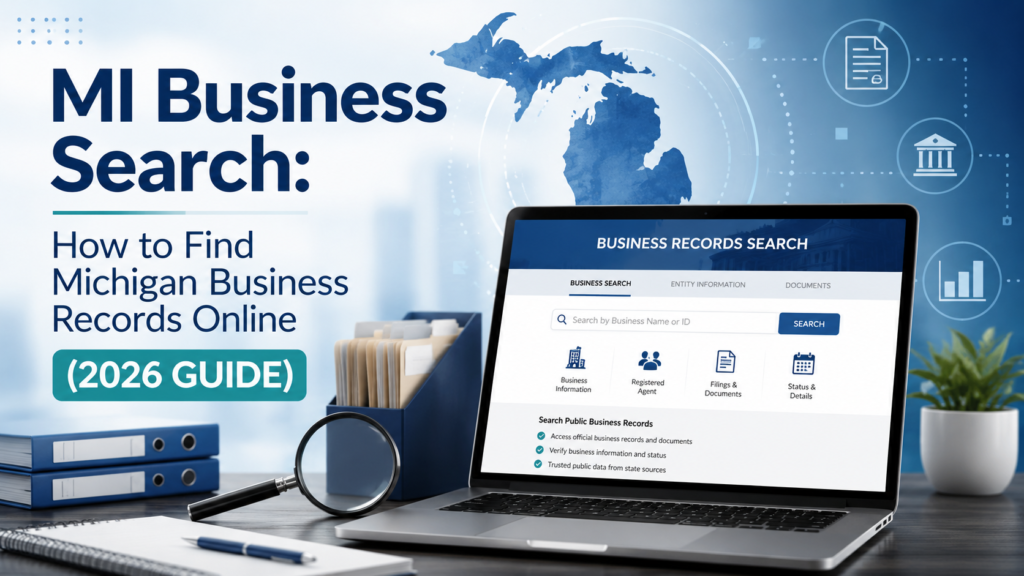
MI Business Search: How to Find Michigan Business Records Online (2026 Guide)
Let’s say you want to hire a contractor in Detroit. Or maybe you want to start your own company in Grand Rapids and you need to check if your business name is already taken. Or maybe someone asked you to send money to a company you have never heard of, and you want to make sure it is real before you do.
In every one of these cases, there is one simple tool that answers your question fast. It is called MI Business Search.
MI Business Search is the free public tool that lets anyone look up businesses registered in Michigan. You do not need to be a lawyer or an accountant to use it. You do not need to pay anything either. You just need to know what to type and where to look.
This guide walks you through the whole process in plain, simple language. We will cover what MI Business Search is, how to use it step by step, what your results actually mean, how much certain records cost, and the mistakes people make when they search. We will also cover things most guides skip, like scam warnings, annual filing deadlines, and how to search business licenses separately from business entities.
By the end, you will know exactly how to run a Michigan business search and understand every part of your results.
What Is MI Business Search?

MI Business Search is the official online lookup tool for business records in Michigan. It is run by the Michigan Department of Licensing and Regulatory Affairs, known as LARA. This is the state agency in charge of business registrations.
When a company forms in Michigan as an LLC, a corporation, a nonprofit, or a partnership, it must file paperwork with LARA. That paperwork becomes part of the public record. MI Business Search is simply the window that lets you view that record without visiting a government office or mailing a request.
Think of it like a library card catalog, but instead of books, it holds companies. Type in a name, and it tells you if that company exists, when it started, and whether it is still active today.
In 2025, Michigan moved this service to a newer system called the MiBusiness Registry Portal. The older system, known as COFS, still works for some lookups, but the state is guiding new users toward the updated portal. Either way, the records come from the same source, the Corporations Division of LARA.
Why This Tool Matters More Than Ever in 2026

Online scams are getting more convincing. Fake invoices, fake vendors, and fake business partners show up in inboxes every single day. A quick MI Business Search takes less than a minute and can save you from a costly mistake.
At the same time, more people are starting small businesses from home. Before you print a logo or build a website, you need to know if your business name is already taken. Skipping this step is one of the most common and expensive mistakes new founders make.
This is also why the tool matters for trust. A business that shows up as active and in good standing has met its basic legal duties with the state. That alone does not prove a company is honest or well run, but it is a solid first checkpoint before you spend money or sign anything.
If you are also setting up the online side of your business, it helps to get your name and business website sorted at the same time. Many new owners compare a custom website against WordPress before they pick a builder, since the right setup saves time later.
Where to Do a Michigan Business Search

You do not need to guess which website to use. Michigan runs one official portal for this.
The current system is called the MiBusiness Registry Portal. This is where you search for entities, file annual reports, and order certificates. It replaced the older Corporations Online Filing System, also called COFS, which some search links may still point to.
Always confirm you are on a michigan.gov or lara.state.mi.us address. Copycat sites sometimes charge a fee for information that is free on the real portal. If you land on a site asking for a credit card just to search a name, close it and go to the LARA Corporations, Securities and Commercial Licensing Bureau page instead, then click through to the official search tool.
How to Use MI Business Search: Step by Step
Here is exactly how to search, broken into simple steps.
Step 1: Pick your search type
When you open the portal, you will see a few ways to search:
- By business name
- By entity ID number
- By an individual’s name
- By resident agent (also called registered agent)
Most people search by business name first, since that is the information they already have.
Step 2: Search by business name
Type in the company name. You do not need to type the whole thing.
For example, if you are looking for “Great Lakes Coffee Roasters LLC,” try typing just “Great Lakes Coffee.” This often works better than typing the full legal name, because businesses use different suffixes like LLC, Inc, or Corp, and punctuation can vary.
The system usually gives you a few search methods to choose from:
- Exact match, which only finds names that match exactly
- Begins with, which finds names starting with your text
- Full text search, which looks anywhere in the name
- Soundex search, which finds names that sound similar even if spelled differently
If you are not sure of the spelling, soundex or begins with will usually help you the most.
Step 3: Search by entity ID number
If you already have the entity ID, this is the fastest and most exact way to search. Every registered business in Michigan gets one unique ID number. Two companies never share the same number, even if their names look almost identical.
Accountants, lenders, and attorneys usually search this way because it removes all guesswork.
Step 4: Search by individual or resident agent name
You can also search using a person’s name. This is useful if you know who formed the company or who acts as its registered agent, the person or company that receives legal mail on behalf of the business.
Keep in mind, one agent can represent many different businesses. So this kind of search may return a long list.
Step 5: Open the record and read it carefully
Once you find a match, click to open the full record. Do not stop at the name alone. Compare the entity ID, the formation date, and the business type to make sure you have the right company, especially if the name is common.
How to Read Your MI Business Search Results
Your results page will show several fields. Here is what each one means in plain terms.
Business name. The legal name filed with the state. This might be different from the name printed on a storefront or website, since companies can operate under an assumed name.
Entity ID number. A unique number given to the business when it registered. This never changes and never repeats.
Business type. This tells you the legal structure, such as LLC, domestic corporation, foreign corporation, nonprofit corporation, or limited partnership.
Status. This tells you where the business currently stands. Here is what the common statuses mean:
| Status | What it means |
|---|---|
| Active | The business is currently registered and has filed what it owes |
| Dissolved | The business has legally closed, either on its own or through the state |
| Withdrawn | An out of state business that stopped operating in Michigan |
| Revoked | The state canceled the business for missing filings or fees |
| Good standing | The business has met all its ongoing filing duties |
Formation date. The date the business was first registered.
Registered agent. The person or company set up to receive legal papers for the business.
Filing history. A timeline of documents the company has submitted, such as annual reports, name changes, or amendments.
An active status does not mean a company is financially healthy or trustworthy. It only means the paperwork is current. Always treat this as a starting point, not a final answer.
What You Can and Cannot See in a Michigan Business Search

This part gets skipped in a lot of guides, so let’s be clear about it.
You can see:
- Legal business name and any assumed names on file
- Entity ID number
- Status and formation date
- Registered agent name and address
- Filing history
You cannot see:
- Bank account or financial details
- Tax returns
- Personal information about employees
- Ownership percentages in most cases
- Internal company documents
If you need proof of a business’s finances or ownership structure, a public entity search will not answer that. You would need separate documents, direct requests, or professional due diligence.
Annual Reports and Deadlines Every Michigan Business Should Know
This is one of the biggest gaps in most guides on this topic, yet it directly affects how a business status looks in your search results.
Michigan requires ongoing filings to keep a business active:
- LLCs file an annual statement by February 15 each year
- Corporations file an annual report by May 15 each year
- Nonprofits file an annual report by October 1 each year
Miss the deadline, and the state can charge a late fee, often around 50 dollars, and eventually move the business to a revoked or not in good standing status. This is exactly why a business search sometimes shows a company as inactive even though it is still trading day to day. The owner simply missed a filing.
If you run a business yourself, mark these dates on your calendar. A missed filing is one of the easiest and most avoidable ways to lose your good standing.
How Much Does MI Business Search Cost?
The search itself is completely free. Anyone can look up a business, view its status, and read its filing history without an account or payment.
Some related documents do cost money if you want an official copy:
| Service | Typical cost |
|---|---|
| Basic entity search | Free |
| Certificate of good standing | Around 10 dollars |
| Certificate of assumed name (DBA) for an LLC | Around 25 dollars |
| Certificate of assumed name for a corporation | Around 10 dollars |
| Changing a registered agent | Around 5 dollars |
| Foreign entity registration | Around 50 dollars |
| Late annual statement fee | Around 50 dollars |
Prices can shift over time, so always confirm the current fee on the portal before you pay.
How to Get a Certificate of Good Standing
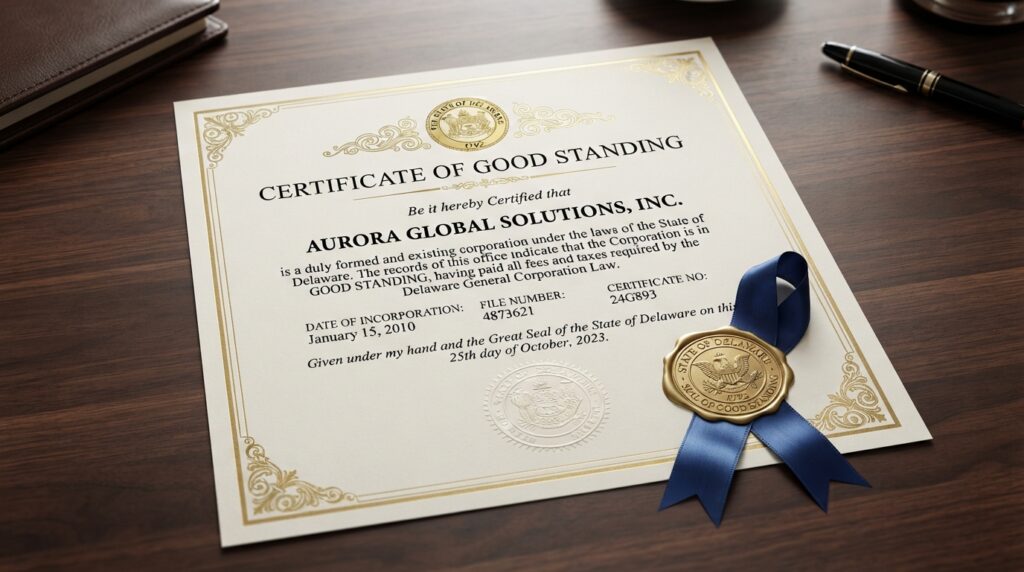
A certificate of good standing is an official document that proves a business has met its filing duties. Banks, landlords, and investors often ask for one before they approve a loan, a lease, or a deal.
You can view an uncertified version of this information for free through a normal search. If you need the certified, official copy, you order it directly through the MiBusiness Registry Portal, and the state charges a small fee at checkout. Since mid 2025, these orders go through the online portal rather than by phone, so plan to have your entity ID ready when you order.
Searching for a DBA or Assumed Name in Michigan
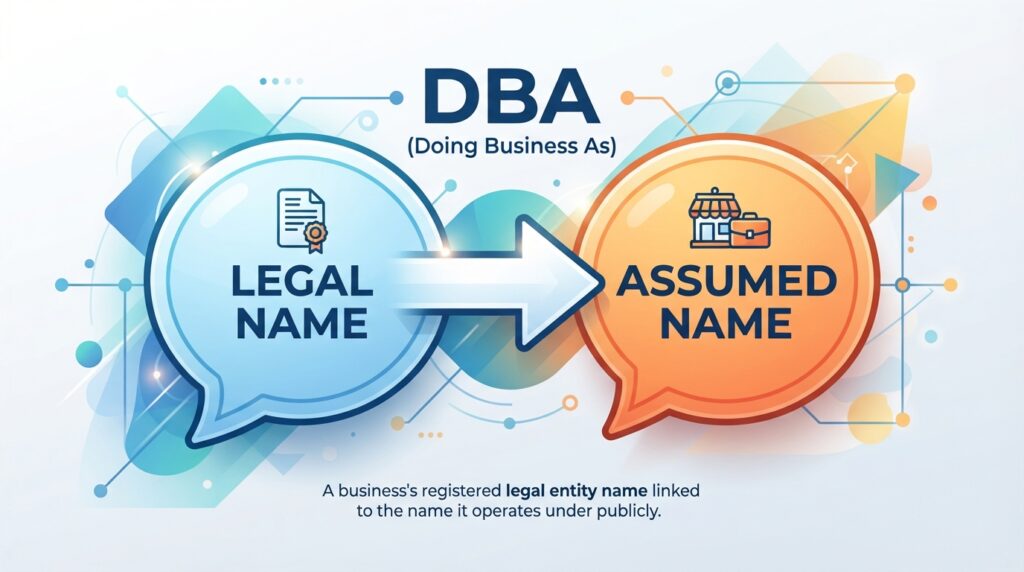
A DBA, short for doing business as, is called an assumed name in Michigan. This is the name a company uses to operate that is different from its legal name.
Here is something most guides get wrong or skip completely. Not every business type files its assumed name in the same place.
- LLCs, corporations, and nonprofits file assumed names with LARA, and these do show up in MI Business Search
- Sole proprietors and general partnerships file assumed names with the county clerk instead, not with the state
That means if you search for a sole proprietor’s storefront name and find nothing, that does not mean the business is unregistered. It may simply be registered at the county level. Always check with the county clerk’s office if a state search comes up empty for a smaller or local operation.
An assumed name filed with LARA is valid for five years and must be renewed before it expires.
Common Scams to Watch Out for When Searching Business Records
This is an important safety section that most competing guides leave out entirely.
Michigan has warned business owners about fake mailers and phishing emails that copy the look of official state letters. These messages often demand payment far higher than the real state fee, or they threaten fake enforcement action to scare people into paying quickly.
A few rules to protect yourself:
- LARA never asks for credit card numbers by phone, text, or email
- The real LLC annual statement fee is a set, published amount, so anything asking for much more is a red flag
- Only file or pay through the official MiBusiness Registry Portal
- If you get a suspicious letter or email claiming to be from the state, verify it directly on the official portal before responding
If you run a business and rely on email for vendor communication, tightening up how you manage and filter incoming messages can also help catch scam attempts early. A good set of email management tools makes it much easier to spot suspicious senders before you act on anything.
MI Business Search vs Other Ways to Check a Company
MI Business Search is not the only tool out there, so here is how it compares.
MI Business Search gives you official, government filed information. It is free, direct, and specific to Michigan.
Third party directories like general business listing sites can be faster to browse and sometimes include reviews, but the data is not always current, and anyone can post inaccurate details.
The IRS EIN system is a separate federal record used for tax purposes. It is not searchable by the public the same way, but if you already have a company’s EIN, it can confirm the business is registered federally. You can read more on the IRS page about employer ID numbers.
The Better Business Bureau is useful for checking complaints and reviews, which MI Business Search does not cover at all. Pairing a state entity search with a BBB lookup gives you both the legal status and the real world reputation of a company.
The smartest approach is to use MI Business Search first to confirm a business is real and active, then use these other tools to learn more about how it actually operates.
Who Should Use MI Business Search
This tool is useful for far more people than most guides suggest.
New business owners use it before filing, to check if their desired name is already taken. If you are exploring what kind of company to start, browsing a list of business ideas for 2026 first, then checking name availability, saves you from picking a name you cannot legally use.
Consumers use it before hiring a contractor, buying from an unfamiliar online store, or signing a service agreement.
HR teams and hiring managers use it to confirm a staffing agency or vendor is a real registered company before signing a contract. If you are new to this side of the job, brushing up on core HR skills will help you know what else to check besides entity status.
Ecommerce sellers use it to confirm a supplier or dropshipping partner is legitimate before sending payment. Anyone building out a store should pair this with a solid stack of ecommerce tools to manage vendors and orders properly.
Attorneys, lenders, and investors use it during due diligence, before loans, contracts, or acquisitions move forward.
Searching Business Licenses Separately From Business Entities
Here is a gap almost every competing article misses completely.
MI Business Search only shows entity registration, meaning whether a company legally exists as an LLC, corporation, or similar structure. It does not show professional licenses.
If you want to check whether a contractor, cosmetologist, real estate agent, or other licensed professional actually holds a valid license, that is a separate search handled by LARA’s Bureau of Professional Licensing, not the Corporations Division. A company can show up as an active LLC in MI Business Search while an individual working for that company holds an expired or suspended license, or no license at all.
If your project involves a licensed trade, always run both searches, the entity search and the license search, before you sign anything.
Tips for Getting Better Search Results
- Search using only part of the business name instead of the full title
- Try the entity ID first if you already have it
- Use soundex search if you are unsure about spelling
- Compare formation dates and entity numbers when several companies share a similar name
- Check the county clerk’s office if a sole proprietor’s name does not appear in the state search
- Bookmark the official portal link so you never land on a copycat site by mistake
MI Business Search Quick Facts
- It is completely free to search
- It is run by LARA, the Michigan Department of Licensing and Regulatory Affairs
- The current system is the MiBusiness Registry Portal
- LLC annual statements are due February 15 every year
- Corporation annual reports are due May 15 every year
- Nonprofit annual reports are due October 1 every year
- A certified certificate of good standing costs around 10 dollars
Conclusion
MI Business Search is one of the fastest and most reliable ways to check any business registered in Michigan. It takes less than a minute, it costs nothing, and it can save you from signing a bad deal or trusting the wrong company.
Use it before you start a new business, before you hire someone, before you buy from an unfamiliar seller, and any time a company’s legitimacy matters to you. Just remember to pair it with a license check when a licensed trade is involved, and always confirm assumed names and county filings when a state search comes up short.
Start with MI Business Search, read the full record, and you will always know exactly who you are dealing with in Michigan.
FAQs
What is MI Business Search?
It is the free official tool from Michigan’s LARA agency that lets anyone look up public records for businesses registered in the state.
Is MI Business Search free?
Yes, searching is free. Only certain documents, like a certified certificate of good standing, cost a small fee.
How do I search a Michigan LLC by name?
Type in part of the legal name on the MiBusiness Registry Portal. Searching a shorter, distinctive part of the name usually works better than the full title.
Does MI Business Search show who owns a company?
Not always. It shows registration details like name, entity ID, status, and registered agent. Ownership details are often not publicly listed.
Can I find a sole proprietor’s business name in MI Business Search?
Usually not. Sole proprietors and general partnerships file assumed names with the county clerk, not with the state, so they may not appear in this search.
What does it mean if a business shows as revoked?
It usually means the company missed a required filing or fee and lost its authorization from the state. It may need to resolve that before it can return to good standing.
How do I check if a professional license is valid in Michigan?
That is a separate search through LARA’s Bureau of Professional Licensing, not the business entity search covered in this guide.
How often is the database updated?
It updates as LARA processes new filings, so very recent changes may take a few days to appear.
