



What Is Sparx Reader? A Detailed Guide to the Reading Tool for Students and Teachers
Reading is one of the most important skills a child ever learns. It helps with schoolwork, vocabulary, and even how well a child understands the world around them. But keeping kids interested in reading is not always easy. That is exactly why so many secondary schools now use Sparx Reader.
If your child came home and said “I have Sparx Reader homework,” or your school just introduced this platform, you probably have questions. What is Sparx Reader? How does it work? What are SRP points? Is it actually good for learning?
This guide answers all of that in plain, simple words. We will cover what Sparx Reader is, how it works, its features, its reading levels, its rewards system, common problems, and tips to get the most out of it. We will also explain things that most guides skip, like how the reading levels are scored, how Gold Reader really works, and what the research says about reading for pleasure.
What Is Sparx Reader?
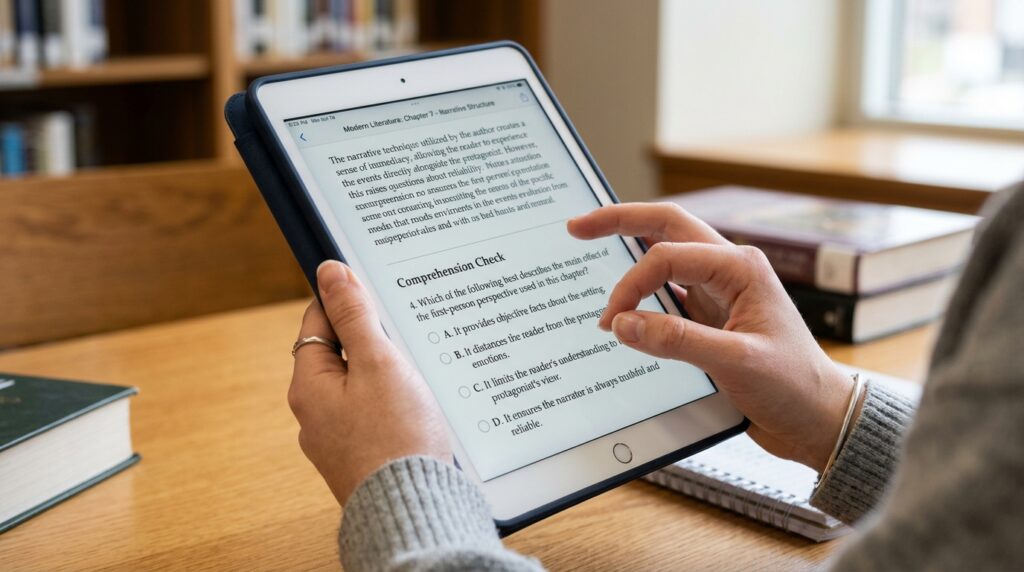
Sparx Reader is an online reading platform built by Sparx Learning to help students in secondary school read more, and read better. Instead of just asking a student to finish a book, Sparx Reader checks understanding along the way with short questions.
Think of it like this. A normal reading log only tells a teacher that a student opened a book. Sparx Reader tells the teacher whether the student actually understood what they read. That is the biggest difference, and it is why so many UK secondary schools use it for weekly reading homework.
Sparx Reader is mainly used with students aged 11 to 16. Each student takes a short reading test first. Based on the result, the platform gives them a personal reading level and recommends books that match their ability. As students read, they earn Sparx Reader Points, known as SRP, for reading carefully and answering questions correctly.
So in one sentence: Sparx Reader is a digital reading tool that combines personalized books, built in comprehension questions, and a reward system, so schools can turn reading into a measurable weekly habit instead of a guess.
Who Uses Sparx Reader?
Sparx Reader is designed for four groups, and each one gets something different from it.
Students get books picked for their exact reading level, so the material is never too easy or too hard. This keeps reading enjoyable instead of frustrating.
Teachers get a dashboard that shows exactly how much each student has read, how well they understood it, and who might need extra help. This saves hours compared to checking paper reading logs by hand.
Schools get reading data across every year group, which helps them build a stronger reading culture and prove that literacy programs are actually working.
Parents can check their child’s progress through the Parent Portal, usually linked from the school’s weekly homework email. Parents cannot control the classroom side, but they can see if homework is done and gently remind their child to read.
How Does Sparx Reader Work? Step by Step
Here is exactly what happens when a student uses Sparx Reader for the first time.
- Initial reading test. The student reads a short passage and answers a few questions. This sets their starting reading level, scored on a scale of 1 to 9.
- Book recommendations. Based on the test, Sparx Reader suggests a few ebooks that match the student’s level and interests.
- Reading in short chunks. The student reads a section of the book. Once that section is done, the text disappears before the questions appear. This stops students from scrolling back to search for answers instead of actually reading.
- Comprehension questions. Multiple choice questions check if the student understood what they just read. Answer correctly, and the student earns SRP.
- Points and progress. SRP builds up as the student reads. Teachers can see this happening in real time on their dashboard.
- Weekly homework cycle. Most schools set homework on a set day, often Thursday afternoon, with a target of around 300 SRP due the following week. That usually takes about 30 to 45 minutes of focused reading.
This loop repeats every week, which is what builds a real reading habit rather than a one time assignment.
Key Features of Sparx Reader
Sparx Reader packs a lot into one simple platform. Here are the main features parents and teachers should know about.
- Personalized book library. Every student gets book suggestions that fit their measured reading level, not just their year group.
- Built in comprehension checks. Questions appear throughout the book, not only at the end.
- Vocabulary support. Students can tap unfamiliar words to see a definition without losing their place in the story.
- Optional vocabulary practice. A short, separate activity where each correct answer earns 1 SRP. It is not compulsory homework.
- Teacher dashboard. Shows homework completion, reading consistency, and comprehension accuracy for every student.
- Accessibility tools. Adjustable text size, background colour overlays, dyslexia friendly fonts, and a reading ruler to help students who need extra support.
- Works on any device. Students can log in from a phone, tablet, laptop, or school computer, as long as there is an internet connection.
- Leaderboard, with an opt out. Students can compete for SRP on a leaderboard, but they can choose not to appear on it if they prefer.
What Are Sparx Reader Points (SRP)? A Full Explanation
SRP is the point system that measures how much meaningful reading a student has done. It is not a game score. It reflects real reading time plus correct answers.
Here is what most guides do not explain clearly: SRP is based on reading speed and accuracy, not just page count. That is intentional. A student who reads slowly still earns fair points because Sparx Reader adjusts for their pace rather than punishing them for reading carefully.
Students earn SRP by:
- Reading assigned ebooks and answering the questions correctly
- Completing optional daily vocabulary practice, worth 1 SRP per correct answer
- Reading physical books through Gold Reader, once they have unlocked it
Most schools set a weekly target of around 300 SRP. If a student reads more than their target in one week, the extra points often roll over and count toward the next incomplete homework, rather than being wasted.
Sparx Reading Levels Explained (1 to 9 Scale)
This is one of the most searched, and least explained, parts of Sparx Reader. Sparx Reading Levels measure a student’s reading ability on a scale from 1 to 9. The initial reading test sets the starting level, and the platform adjusts it over time as the student’s comprehension accuracy and reading speed change.
A higher level does not mean a student is “smarter.” It simply means they can currently handle more complex text with strong understanding. Levels can go up or down slightly depending on performance, which is normal and expected. Teachers use this number, alongside SRP, to spot students who might be stuck or who are ready for a harder book.
Bronze, Silver, and Gold: What Do Sparx Reader Levels Actually Mean?
Alongside the 1 to 9 reading level, Sparx Reader also tracks consistency through achievement tiers, commonly called Bronze, Silver, and Gold.
- Bronze is the starting tier. It shows a student is meeting the basic weekly reading expectation.
- Silver shows a student is reading regularly and answering questions accurately most weeks.
- Gold shows strong, consistent performance over several weeks in a row.
These tiers are not grades. They do not measure intelligence. They simply show how consistently a student is using the platform, which is genuinely useful information for a parent trying to understand how their child is doing without needing to read a full report.
What Is Gold Reader? (A Feature Most Guides Miss)
Gold Reader is a genuinely clever feature that most competitor articles barely mention, and it deserves proper coverage because parents and students search for it constantly.
Normally, students read on the Sparx Reader platform itself. But once a student earns five gold stars, meaning they have read 300 SRP above their weekly target five separate times, they unlock a Gold Reader pass. This pass usually lasts around five weeks.
With Gold Reader, a student can read any physical paperback book of their choice and still earn SRP for it. Here is how it works:
- The student scans the book’s barcode using their device camera, similar to scanning a QR code.
- They enter the page numbers where the story starts and ends.
- They log their reading roughly every 20 minutes, noting how far they got.
- Sparx checks these logs automatically, comparing reading speed, log frequency, and answer quality to make sure the reading looks genuine.
According to the Sparx Reader Help Centre, Sparx expects students to log their reading roughly every 20 minutes, and a book of around 300 pages should usually show at least 8 to 20 logs. Because this system runs on trust more than direct tracking, Sparx reviews it carefully. If banked points look unusual, such as very few logs for a long book, they may be held back for manual review before being awarded. If a student misuses Gold Reader, they can lose the privilege and go back to reading ebooks on the platform.
This feature matters because it bridges digital reading and traditional physical books, something most reading apps do not attempt at all.
How Sparx Reader Helps Students
Reading a book from start to finish does not automatically build strong reading skills. Students need material at the right level, regular practice, and honest feedback. Sparx Reader brings all three together.
Because books are matched to reading ability, confident readers stay challenged and struggling readers are not left frustrated by a book that feels impossible. The comprehension questions push students to read carefully instead of skimming to the last page. And because the text disappears before the question appears, students cannot scroll back and cheat their way through, which keeps the whole process honest.
Over time, this steady rhythm of reading and checking understanding can build real reading confidence, wider vocabulary, and better focus, benefits that carry over well beyond the school reading homework itself.
How Sparx Reader Helps Teachers
Manually tracking reading progress for thirty students a class, across several classes, takes an enormous amount of time. Sparx Reader removes almost all of that manual work.
Teachers can open a dashboard and instantly see who has completed their homework, who is behind, and who is struggling with comprehension despite finishing the reading. That means interventions happen earlier, before a small gap becomes a bigger problem.
It also gives teachers real evidence for conversations with parents or school leadership, since the data is collected automatically rather than relying on a student’s own reading log.
Benefits of Sparx Reader for Schools
Schools care about building a reading culture that lasts, not just ticking a homework box. Sparx Reader supports that goal in a few concrete ways.
- Reading engagement can be tracked across every year group from one place
- Homework becomes standardized, so every classroom follows the same structure
- Literacy leads can spot which classes or year groups need extra support
- Recognition, like milestone certificates awarded every 5,000 SRP, helps keep motivation high school wide
This lines up with wider research on reading. The National Literacy Trust has found that children who enjoy reading are far more likely to read regularly in their free time than those who do not enjoy it. A tool like Sparx Reader, which makes reading feel rewarding rather than like a chore, directly supports that goal.
How to Log In to Sparx Reader
Students and teachers both log in using credentials provided by their school, not a personal account they create themselves. Here is the general process.
- Go to the Sparx Reader login page shared by your school.
- Enter the school username and password given to you.
- You will land on your dashboard, showing assigned reading, recommended books, and current progress.
If a student forgets their password, the school handles account recovery, usually through the class teacher or IT support team. Sparx Reader itself does not offer a public self service reset for student accounts, since schools control the account system.
Common Sparx Reader Problems and How to Fix Them
Most issues with Sparx Reader are small and easy to solve. Here are the ones people search for most.
Cannot log in. Double check the username and password given by the school. If it still fails, ask your teacher to reset it.
Homework is not showing up. Confirm you are logged into the right account and that the teacher has actually published the assignment. A simple refresh often fixes a display glitch.
SRP is not updating. Points sometimes take a short while to sync after a reading session ends. Give it a few minutes before assuming something is wrong.
Gold Reader points look delayed. This is normal. Sparx runs automatic checks on log frequency and reading pace before releasing banked points, and very large point totals get a manual review, which takes longer.
Book will not load. This is usually a temporary internet issue. Refresh the page or try a different browser.
If none of these fix the problem, the school’s IT support or the class teacher is the fastest way to get it sorted, since Sparx Reader accounts are managed at the school level.
Sparx Reader vs Traditional Reading Homework
Traditional reading homework usually asks students to log pages read or write a short summary. It is simple, but it tells a teacher almost nothing about whether the student actually understood the book.
Sparx Reader closes that gap. Because comprehension questions are built into the reading itself, teachers see real understanding, not just completion. Students also get a personalized book instead of a class set text that might be too easy or too hard for them individually.
The tradeoff is that Sparx Reader needs a device and internet connection, while a paperback book needs neither. That is exactly why Gold Reader exists, to let strong readers keep using their own books once they have proven consistent, careful reading habits.
Accessibility and Inclusion Features
Every student reads differently, and Sparx Reader includes several tools to support that.
- Adjustable text size and font style
- Background colour overlays, useful for students with visual stress or dyslexia
- A reading ruler to help students track lines without losing their place
- Tap to define vocabulary support, so unfamiliar words do not stop a student mid page
These features matter more than they might seem. According to the British Dyslexia Association, around one in ten people in the UK have some form of dyslexia, so accessibility tools like these are not a bonus extra, they are essential for a genuinely inclusive reading tool.
Tips to Get the Most Out of Sparx Reader
A few small habits make a big difference in how much a student gets from Sparx Reader.
- Read in shorter, regular sessions rather than one long rushed session before the deadline
- Take the time to actually learn new vocabulary instead of guessing and moving on
- Read at a natural pace, since rushing usually lowers comprehension accuracy and SRP
- Use accessibility settings early if reading feels tiring or uncomfortable, rather than waiting until frustration builds up
- Parents can check the Parent Portal weekly instead of waiting for a problem to appear
Gaps Most Guides Miss: Extra Questions Parents and Teachers Actually Ask
Is Sparx Reader free for students?
Students do not pay directly. Schools purchase access as part of their literacy program, so it is free from the student’s point of view.
Can I use Sparx Reader without my school?
No. Sparx Reader accounts are created and managed by schools, so individuals cannot sign up independently the way they might for a general reading app.
Does Sparx Reader work on a phone?
Yes. It runs in a web browser, so most smartphones, tablets, and laptops work fine, as long as there is an internet connection.
Can parents see exactly what their child is reading?
Parents can usually see homework completion and progress through the Parent Portal, though the level of detail depends on how the school has set things up.
Why does the text disappear before the questions?
This is deliberate. It stops students from scanning back to find answers instead of reading properly, which keeps the comprehension check honest.
Does Sparx Reader replace library reading?
No, and it is not meant to. It works alongside school libraries and physical books, especially through Gold Reader, rather than replacing them.
What the Research Says About Reading for Pleasure
It is worth stepping back and asking why tools like Sparx Reader exist in the first place. Reading for pleasure is not just a nice extra. A National Literacy Trust study matched reading enjoyment survey data with reading skill scores for thousands of children aged 8 to 14, and found that children who enjoyed reading had noticeably higher average reading scores than those who did not. The same research also found that children who read daily scored significantly higher than those who did not read daily.
That is exactly the gap Sparx Reader is trying to close. By combining personalization, honest comprehension checks, and small rewards, it tries to make reading something students choose to do well, not just something they are told to finish.
There is also long standing research on vocabulary and comprehension that supports how Sparx Reader is designed. Researchers Nagy and Scott found that a reader typically needs to already know around 95 percent of the words in a text to understand it properly, which is why matching a book to the right reading level, rather than handing every student the same text, makes such a practical difference.
Sparx Reader and Wider EdTech in the Classroom
Sparx Reader is part of a much bigger shift where schools use technology to make learning more personal and measurable. Teachers already lean on all kinds of digital tools, from apps like Google Lens for quickly identifying objects and text, to creative tools schools now use for making classroom content more engaging.
If your school is exploring more classroom tech beyond reading, it is worth understanding some of the small, practical tools that save time day to day. For example, if a student’s Gold Reader barcode scan will not read properly, the same troubleshooting logic used for fixing a blurred QR code often applies, since both rely on a clear camera scan. Students reading on an iPhone can also get more out of the experience by checking out hidden iOS features that make text easier to read on a small screen. And for students who struggle with typing up notes about what they read, tools that handle audio to text conversion can make homework far less stressful. Teachers managing dozens of parent emails about reading progress may also find it worth reviewing solid email management tools to keep communication organized.
Conclusion
Sparx Reader is more than a digital reading log. It combines a personalized book library, honest comprehension checks, a fair points system, and real accessibility tools, all built to make reading a genuine weekly habit rather than a rushed task. Students get books that actually match their ability. Teachers get clear, real time data instead of guesswork. Schools get a way to measure and build a real reading culture across every year group.
If your school uses Sparx Reader, the best approach is simple. Read a little most days, take vocabulary seriously, and use the accessibility tools if reading ever feels like a struggle. That is really all Sparx Reader is asking for, and it is a small habit that pays off far beyond the classroom.
Frequently Asked Questions
What is Sparx Reader used for?
Sparx Reader is used by secondary schools to set weekly reading homework, check comprehension through built in questions, and track each student’s reading progress automatically.
How do you earn Sparx Reader Points?
Students earn SRP by reading assigned ebooks and answering comprehension questions correctly, and through optional vocabulary practice.
What is a good Sparx Reader level?
There is no single “good” level, since reading levels run from 1 to 9 and reflect a student’s current ability, not a pass or fail score. Progress over time matters more than the exact number.
How do you become a Gold Reader?
A student unlocks Gold Reader by earning five gold stars, each one awarded for reading 300 SRP above the weekly target, which then unlocks a pass to read physical books for several weeks.
Can Sparx Reader be used at home?
Yes. Since it works through any browser with an internet connection, students can complete their reading homework at home, at school, or anywhere else with a connected device.
Is Sparx Reader only for reading, or does Sparx make other tools too?
Sparx Reader is one product from Sparx Learning, which also builds Sparx Maths and Sparx Science using a similar approach of personalized practice and teacher dashboards.
