



How Teachers are Using Seedance 2.0 to Create Viral-Style Classroom Content
Students today scroll through short videos all day. Their attention spans are short, and traditional lessons with textbooks and static slides often lose them quickly. Teachers everywhere are looking for better ways to grab interest and help kids actually remember what they learn. Seedance 2.0, ByteDance’s advanced AI video tool, has become a favorite because it turns ordinary lesson plans into lively, professional-looking videos in minutes.
What Exactly Is Seedance 2.0?
Seedance 2.0 is an AI video generator that creates short cinematic clips from text, images, video clips, and even audio. It stands out for its strong control: you can feed it multiple references at once like a photo of a historical figure, a simple diagram, and a voice narration and it produces smooth, multi-shot videos with consistent characters, realistic motion, and synced sound.
Teachers don’t need expensive cameras, editing software, or hours of training. Many access it through platforms like Higgsfield, Runway, or other partners that make it user-friendly worldwide, including in the USA.
Why Visuals Matter More Than Ever in Classrooms
The human brain handles pictures and motion much faster than text. Videos help students understand tricky ideas, stay focused longer, and remember more. Seedance 2.0 makes it simple for any teacher to create this kind of content.
It shines for different learning needs:
- Visual learners see concepts come alive.
- Auditory learners get clear narration and sound effects.
- Kinesthetic learners benefit from motion and step-by-step animations.
- Students learning English or other languages gain from contextual scenes and expressions.
Real Ways Teachers Use Seedance 2.0
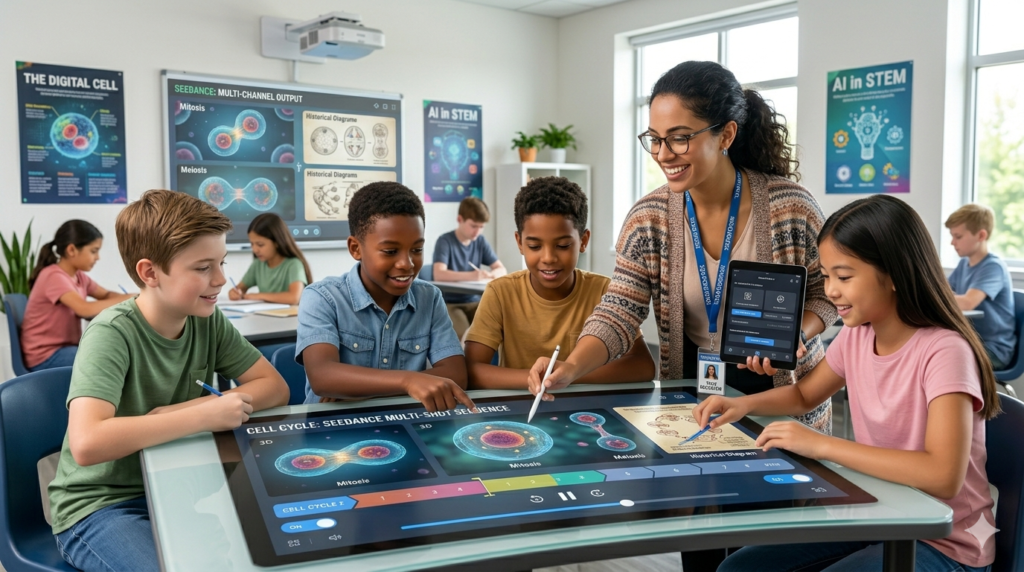
- Science lessons : A middle school teacher in California turns a boring explanation of photosynthesis into a smooth animation showing sunlight hitting leaves, with water and carbon dioxide moving realistically. Students watch the process happen instead of just reading about it.
- History classes : Teachers recreate ancient Rome or key Civil Rights moments with historical-style reconstructions. Characters look consistent across shots, and the scenes feel immersive without looking cartoonish.
- Math and abstract concepts : Complex ideas like fractions or geometry become clear with moving visuals. One teacher uses image references of real objects to show how shapes fit together in 3D space.
- Language learning : Role-play conversations appear with realistic gestures, facial expressions, and lip-synced dialogue in multiple languages.
- STEM demos: Physics laws, chemical reactions, or biological processes get accurate motion and timing that would be hard to demonstrate safely or quickly in a live classroom.
The Art of Captivating Your Audience
Just as educators must captivate a distracted classroom, modern brands face the exact same challenge on retail shelves. For example, to understand how unique shapes captivate retail attention and enhance customer engagement, look at how custom pillow boxes by IMH Packaging completely elevate small gift presentations. Both fields rely on immediate visual impact.
Whether you are designing an AI video template or structural packaging, it requires a fine balance of aesthetics. Learning how to combine functionality and style with cozy, curved-edge graphics by exploring design ideas on Custom Boxes Lane proves that presentation shapes the overall user experience, whether in a classroom or an unboxing video.
Key Features Teachers Love
- Multimodal inputs: Combine up to 9 images, 3 videos, and 3 audio clips in one generation for precise control.
- Character and scene consistency : The same student “actor” or historical figure stays recognizable across shots.
- Native audio : Generates synced sound, dialogue, or narration automatically.
- Multi-shot storytelling : Creates short sequences instead of single disconnected clips.
- Fast and editable : Make quick changes and regenerate without starting over.
- High quality : Cinematic look suitable for classroom screens or online courses.
These features fill a big gap: many teachers want better videos but lack time or skills for traditional production.
Benefits Beyond Engagement
Saves huge amounts of time
What once took hours of scripting, filming, and editing now takes minutes. Busy teachers can create more materials and spend extra time with students.
Improves accessibility
Helps students with reading challenges, different learning styles, or language barriers. Videos work well in hybrid or remote settings too.
Boosts retention and participation
Students ask more questions and discuss topics after watching dynamic content. Teachers report higher quiz scores on visualized topics.
Scalable for all levels
Works for elementary demos, high school explanations, college lectures, and professional training.
Cost-effective
No need for stock footage subscriptions or video crews. Many platforms offer educator-friendly pricing or trials.
Practical Tips for Getting Started
- Start simple : Use a clear text prompt plus one reference image of a diagram or object.
- Be specific : Describe camera movements, lighting, pace, and style (e.g., “smooth zoom on the cell dividing, educational tone, bright classroom lighting”).
- Use references wisely: Upload a photo of yourself or a consistent character for narration-style videos.
- Keep clips short : Aim for 10-15 second segments that fit lesson pacing.
- Combine with existing tools : Embed videos in Google Slides, PowerPoint, or your LMS.
- Test and iterate : Generate a few versions and pick the best one.
- Check school policies: Review any AI usage guidelines, especially around student data or content accuracy.
For USA teachers, platforms with easy global access make it straightforward. Many schools already use similar AI tools and appreciate the time savings.
Addressing Common Concerns
Some worry about accuracy. Always double-check scientific or historical details in the generated video and add corrections if needed. Others mention the learning curve, but most teachers get good results after just a couple of tries.
Data privacy matters in education. Choose reputable platforms and avoid uploading sensitive student information.
The Bigger Picture for Education
Education is shifting toward more visual and interactive methods. Tools like Seedance 2.0 help teachers meet students where they are on screens, expecting dynamic content while keeping the human touch of great instruction at the center.
Teachers using it report feeling more creative and less overwhelmed. Students stay more engaged and understand concepts faster. It’s not replacing teachers. It’s giving them superpowers to deliver better lessons.
Conclusion
Seedance 2.0 stands out because it’s powerful yet approachable. It solves real classroom problems: short attention spans, time shortages, and the challenge of explaining hard topics. Teachers worldwide and across the USA are adopting it to create videos that actually work videos students watch fully and remember.
If you’re a teacher tired of the same old slides, give it a try. Your next lesson could be the one students talk about long after class ends.
FAQs
Is Seedance 2.0 free for teachers?
Many platforms offer free trials or limited generations. Paid plans are usually affordable for educators, with some discounts available.
Do I need video editing experience?
No. The AI handles most of the work. Basic prompting skills are enough to start.
How long are the videos?
Typically 4-15 seconds per generation, perfect for focused lesson segments. You can combine them easily.
Is it available in the USA and other countries?
Yes, through various partner platforms with global access.
Can it create content for any subject?
Yes from math animations to literature scenes to language practice. It works especially well for anything that benefits from motion or visuals.
Will students stay engaged?
Most teachers see big improvements in attention and participation when using high-quality short videos instead of static materials.
