



Which Budget Graphics Cards Perform Best in a Cheap Gaming PC for High FPS Gaming?
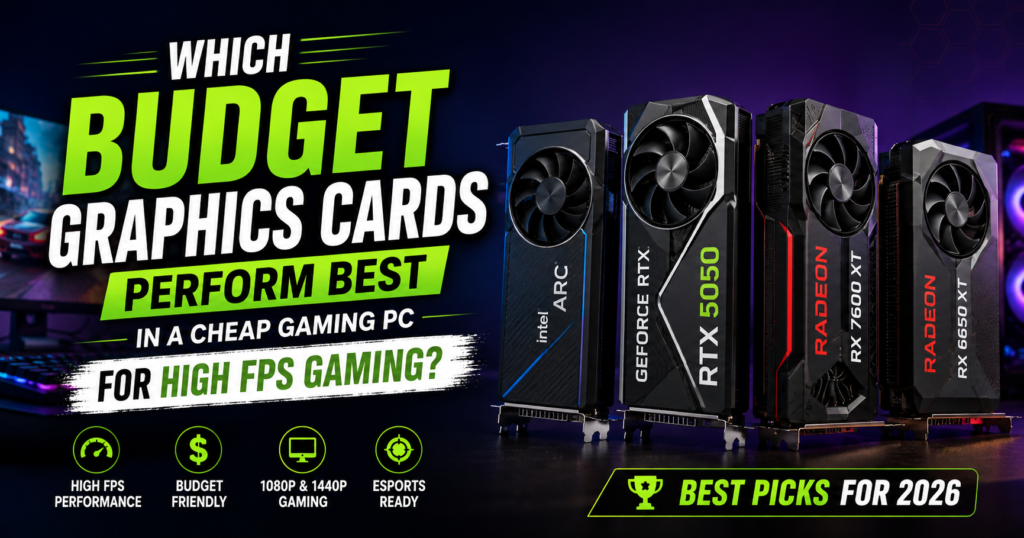
Building a gaming PC on a tight budget used to mean giving up on smooth gameplay. That is not true anymore. In 2026, a graphics card under $300 can still push high frame rates in most popular games at 1080p, and some can even handle 1440p. The trick is knowing which cards actually deliver real performance and which ones are just old leftovers being sold as “budget gaming” options.
This guide answers the question directly: which budget graphics cards perform best in a cheap gaming PC for high FPS gaming? We tested this question against what current guides are telling people, and honestly, most of them are outdated. Several popular articles still recommend cards from years ago that cannot run modern games properly. This guide fixes that. Everything here reflects what actually works right now, in 2026, with real cards you can still buy.
By the end, you will know exactly which card fits your budget, your monitor, and the games you play. No confusing tech talk. Just simple, honest answers.
Why This Question Matters So Much Right Now
Games today need more power than they did five years ago. Even simple looking games like Fortnite or Valorant now push harder on your graphics card because of better lighting, higher resolution textures, and more detailed maps. If your GPU is too weak, you get stuttering, screen tearing, and frustrating drops in frame rate right when a match gets exciting.
At the same time, graphics card prices have been all over the place. Some budget cards now cost more than mid range cards did a few years back. That makes picking the right one even more important. Spend too little and your PC struggles. Spend too much and you paid for power you did not need.
This is exactly why so many people search for the best budget graphics cards for high FPS gaming. They want a simple, clear answer without wasting money.
What Does “Budget GPU” Actually Mean in 2026
A budget graphics card generally falls under $450, with the sweet spot for most gamers sitting between $220 and $400. Anything cheaper than that is usually too weak for modern games, and anything above it moves into mid range territory.
Budget GPUs today are built to hit 60 or more frames per second at 1080p in most games, and many of them can push past 100 FPS in lighter, competitive titles like Valorant, Counter Strike 2, and Apex Legends. Some of the stronger budget cards can even handle 1440p gaming if paired with the right settings.
A quick way to think about it:
- Under $250 – Great for 1080p esports gaming and light AAA titles
- $250 to $400 – The real sweet spot for high FPS 1080p and entry level 1440p
- $400 to $450 – Best for smooth 1440p gaming with high settings
What Actually Controls Your FPS
Before picking a card, it helps to understand what actually affects your frame rate. A lot of people blame the GPU when the real issue is something else in the PC.
VRAM (video memory)
This is like short term storage for your graphics card. Modern games need at least 8GB of VRAM for 1080p, and 12GB or more if you plan to play at 1440p. Cards with too little VRAM will stutter even if the core chip is powerful enough.
Resolution
The higher your screen resolution, the harder your GPU has to work. A card that runs 150 FPS at 1080p might drop to 70 FPS at 1440p in the same game.
CPU pairing
A great graphics card paired with a weak processor will not reach its full potential. This is called a bottleneck. For budget builds, a mid range CPU like an AMD Ryzen 5 or Intel Core i5 keeps things balanced.
Upscaling technology
Features like DLSS from Nvidia, FSR from AMD, and XeSS from Intel let your GPU render games at a lower internal resolution and then sharpen the image using AI. This can boost FPS significantly without hurting visual quality much.
RAM and storage
16GB of RAM is now the standard for smooth gaming. An SSD instead of an old hard drive also cuts loading times dramatically and reduces stuttering in open world games.
Top Budget Graphics Cards for High FPS Gaming in 2026
Here are the graphics cards that actually deliver on the promise of high FPS budget gaming right now.
Intel Arc B580 (Around $250)
The Arc B580 has quickly become one of the most talked about budget cards because it offers 12GB of VRAM at a price where most competitors only give you 8GB. That extra memory matters more than people realize, especially in newer AAA games with high resolution textures.
- 12GB GDDR6 memory
- Strong 1080p performance, often over 90 FPS in popular titles
- Supports Intel XeSS upscaling
- Great value for players who want some breathing room for future games
The only downside is that Intel’s drivers, while much improved, still occasionally lag behind Nvidia and AMD in day one support for brand new game releases.
Nvidia RTX 5050 (Around $220 to $260)
The RTX 5050 is Nvidia’s entry point for 2026 and it holds its own in most 1080p games. It benefits from DLSS 4, Nvidia’s newest upscaling and frame generation technology, which can boost FPS noticeably in supported games.
- Around 55 to 60 average FPS across a wide test suite at 1080p
- Efficient power draw, meaning less heat and a smaller power supply needed
- DLSS 4 support helps older hardware keep up with newer games
- 8GB VRAM, which is fine for 1080p but limiting for 1440p
This card is a strong pick if most of your library is esports titles or games that are not extremely demanding on memory.
AMD RX 7600 XT (Around $300 to $350)
AMD’s RX 7600 XT comes with 16GB of VRAM, which is unusual and welcome at this price point. It handles 1080p gaming at very high frame rates and can even manage light 1440p gaming.
- 16GB GDDR6 memory, well above most competitors in this range
- Around 190 FPS in lighter 1080p titles
- FreeSync support for smooth, tear free gameplay
- Great choice for gamers who plan to keep the card for several years
AMD RX 9060 XT 16GB (Around $400)
If you are aiming for real 1440p gaming without spending a fortune, the RX 9060 XT is one of the best options available. It uses AMD’s FSR 4 upscaling technology to keep frame rates high even at higher resolutions.
- Around 130 FPS average at 1440p in tested titles
- 16GB of VRAM future proofs the card nicely
- Strong raw performance for the price
- A genuine step up from 1080p only cards
Nvidia RTX 5060 Ti 16GB (Around $430 to $450)
This is the highest performing card in the budget category. With DLSS 4 and Nvidia Reflex working together, it can push well past 200 FPS at 1440p in many games, making it a favorite for gamers with high refresh rate monitors.
- Up to 220 FPS at 1440p in supported games with DLSS on
- 16GB VRAM handles demanding textures without stutter
- Nvidia Reflex reduces input lag, useful for competitive play
- The most expensive option here, but still well under mid range pricing
Quick Comparison Table
| Graphics Card | VRAM | Best Resolution | Typical FPS Range | Price Range |
|---|---|---|---|---|
| Intel Arc B580 | 12GB | 1080p | 80 to 100+ FPS | $250 |
| Nvidia RTX 5050 | 8GB | 1080p | 55 to 60 FPS | $220 to $260 |
| AMD RX 7600 XT | 16GB | 1080p, light 1440p | 150 to 190 FPS | $300 to $350 |
| AMD RX 9060 XT 16GB | 16GB | 1440p | 100 to 130 FPS | $400 |
| Nvidia RTX 5060 Ti 16GB | 16GB | 1440p | 180 to 220 FPS | $430 to $450 |
Note: FPS numbers change depending on the game and settings used. Esports titles like Valorant or CS2 will run far higher than AAA games like Cyberpunk 2077.
Which Card Should You Actually Buy
This depends entirely on what you play and what monitor you own. Here is a simple way to decide.
- You only play esports games (Valorant, CS2, Fortnite, Apex Legends) – The RTX 5050 or Arc B580 is more than enough. You will hit well over 100 FPS in most of these titles.
- You play a mix of esports and AAA games at 1080p – Go with the RX 7600 XT. The extra VRAM keeps things smooth even in heavier titles.
- You have a 1440p monitor or plan to buy one soon – The RX 9060 XT 16GB gives you a real 1440p experience without overspending.
- You want the best FPS your money can buy in the budget category – The RTX 5060 Ti 16GB is the strongest performer here, especially if you use a high refresh rate monitor.
If you are also building a full PC around one of these cards, this pairs well with any casual gaming interests you already have. If you enjoy quick browser based titles between sessions, you might like this list of games you can play online for free without downloads, which is handy while your main game is updating or downloading.
What Most Budget GPU Guides Get Wrong
A lot of guides online still recommend cards that are simply too old for 2026 gaming. Cards from the entry level tier of years past, things with 2GB or 4GB of VRAM and weak core clocks, are often listed as “great budget picks.” In reality, these cards struggle badly with anything beyond very light or very old games. They cannot handle modern textures, they lack support for upscaling technology, and many do not even support the latest game engines properly.
Here is what those guides usually leave out, and what you actually need to know.
VRAM Matters More Than People Think
Many older guides focus only on core clock speed and stream processor counts. But VRAM is often the real bottleneck in 2026. A card with a fast core but only 4GB of memory will actually perform worse in modern games than a slightly slower card with 8GB or more. This is because textures, shadows, and lighting data all need to be stored somewhere, and if the card runs out of room, it starts stuttering no matter how fast the chip itself is.
Upscaling Technology Is Not Optional Anymore
DLSS, FSR, and XeSS are not just marketing terms. They are one of the biggest reasons budget cards can still hit high frame rates in 2026. These technologies let the GPU render a game at a lower resolution internally, then use AI to sharpen and upscale the image to your screen’s native resolution. The result is a big FPS boost with barely any visible difference in image quality. If a budget card you are considering does not support any of these, that is a red flag.
The Full PC Matters, Not Just the GPU
A powerful graphics card cannot fix a weak processor, slow storage, or not enough RAM. Many budget gaming guides focus entirely on the GPU and ignore the rest of the build. Here is a simple, balanced budget setup that works well with any card listed above:
- CPU: AMD Ryzen 5 7500F or Intel Core i5 12400F
- RAM: 16GB DDR4 or DDR5, running in dual channel mode
- Storage: 500GB to 1TB NVMe SSD
- Power supply: 550W to 650W from a reputable brand
- Cooling: A case with at least two fans for steady airflow
Skipping any of these can hold back even the best budget GPU.
New vs Used Graphics Cards
Buying a used GPU can save money, but it comes with risk. Mining era cards or heavily used cards may have shortened lifespans due to heat damage over time. If you go the used route, always check the seller’s return policy and ask about how the card was used. For most beginners, buying new with a warranty is the safer choice, especially for a first build.
Power Supply Requirements People Forget to Check
Every card on this list is fairly efficient, but pairing it with a weak or unreliable power supply is asking for trouble. A cheap, no name power supply can cause random crashes or even damage your components over time. Spend a little extra here. It protects your entire investment.
Practical Tips Before You Buy
- Always check your monitor’s resolution and refresh rate first. Buying a powerful card for a 1080p 60Hz monitor is a waste of money.
- Compare prices across at least two or three retailers before buying. Budget GPU prices shift often.
- Look up recent reviews close to your purchase date. GPU pricing and availability change fast.
- Do not ignore the power connector type. Some newer cards use different connectors than older power supplies support.
- If you are also building your first PC, watch a full build video from a trusted source before starting. It helps avoid small mistakes that cause big headaches later.
If gaming culture interests you beyond just hardware, you might also enjoy learning about creative ways players are using Roblox Robux or checking out why 99 Nights in the Forest has become so replayable for your next gaming session once your new build is ready.
Common Mistakes to Avoid
Buying based on brand name alone
Nvidia, AMD, and Intel all make solid budget cards now. Do not assume one brand is automatically better. Compare actual specs and benchmarks for the games you play.
Ignoring VRAM size
As covered earlier, an 8GB card can feel outdated fast if you play newer AAA titles. If your budget allows it, going for 12GB or 16GB gives your build more room to grow.
Overspending on a card your CPU cannot support
If your processor is old or weak, a top tier budget GPU will be held back and you will not see the FPS you expected.
Not checking case size compatibility
Some budget cards, especially the higher VRAM models, are longer than expected. Always check your case’s maximum GPU length before ordering.
Frequently Asked Questions
Which budget graphics cards perform best in a cheap gaming PC for high FPS gaming?
For most people in 2026, the Intel Arc B580, Nvidia RTX 5050, and AMD RX 7600 XT are the strongest picks for 1080p high FPS gaming. If you want 1440p performance on a budget, the AMD RX 9060 XT 16GB and Nvidia RTX 5060 Ti 16GB are the best choices.
Can a budget graphics card really hit 100+ FPS?
Yes, especially in esports titles like Valorant, CS2, and Fortnite. These games are less demanding, so even budget cards can comfortably pass 100 FPS at 1080p on high settings.
Is 8GB of VRAM enough in 2026?
It is enough for 1080p gaming in most current titles, but it can struggle in newer AAA games with high resolution textures. If your budget allows, 12GB or 16GB gives your PC more room to handle future games.
Do I need an expensive CPU to match a budget GPU?
No, but you do need a balanced one. A mid range CPU like a Ryzen 5 or Core i5 pairs well with any card listed in this guide without holding back performance.
Is it better to buy a new or used graphics card?
New is safer for most buyers because it comes with a warranty and no unknown usage history. Used cards can save money but carry more risk, especially if you are not sure how the card was previously used.
What is the real difference between DLSS, FSR, and XeSS?
All three do a similar job. They let your GPU render games at a lower resolution and then upscale the image using AI, boosting FPS with little loss in visual quality. DLSS is Nvidia’s version, FSR is AMD’s, and XeSS is Intel’s. Most modern budget cards support at least one of these.
How much should I spend on a budget graphics card?
Between $220 and $400 covers almost every budget gamer’s needs. Going above $450 usually means you are stepping into mid range territory rather than true budget territory.
Final Thoughts
Picking the right graphics card does not need to be complicated. Focus on your resolution, your monitor’s refresh rate, and the games you actually play, then match that to a card with enough VRAM and the right upscaling support. The Intel Arc B580, Nvidia RTX 5050, AMD RX 7600 XT, AMD RX 9060 XT 16GB, and Nvidia RTX 5060 Ti 16GB all deliver real, tested high FPS performance for cheap gaming PC builds in 2026.
Skip the outdated advice still floating around online, and build a system that actually matches how you play. A smart budget choice today means smoother games, fewer frustrating drops in frame rate, and a PC that keeps up for years, not just months.
For deeper technical benchmarks, sources like Tom’s Hardware and PC Gamer run detailed lab tests across dozens of games and are worth checking before any final purchase. You can also compare official specs directly on Nvidia’s GeForce product pages, AMD’s Radeon lineup, and Intel’s Arc graphics page to confirm current pricing in your region before you buy.
And if you want a quick laugh or a short break while you wait for parts to arrive, this roundup of why game trailers and videos matter before downloading is worth a quick read too.
