



How to Create AI Videos Using Multimodal References
Making a video used to take a camera, a script, actors, and hours of editing. Now you can make one with a laptop and a few files. That is the promise of AI video tools. But if you have tried one, you already know the problem. You type a prompt, you get a video, and it looks nothing like what you imagined.
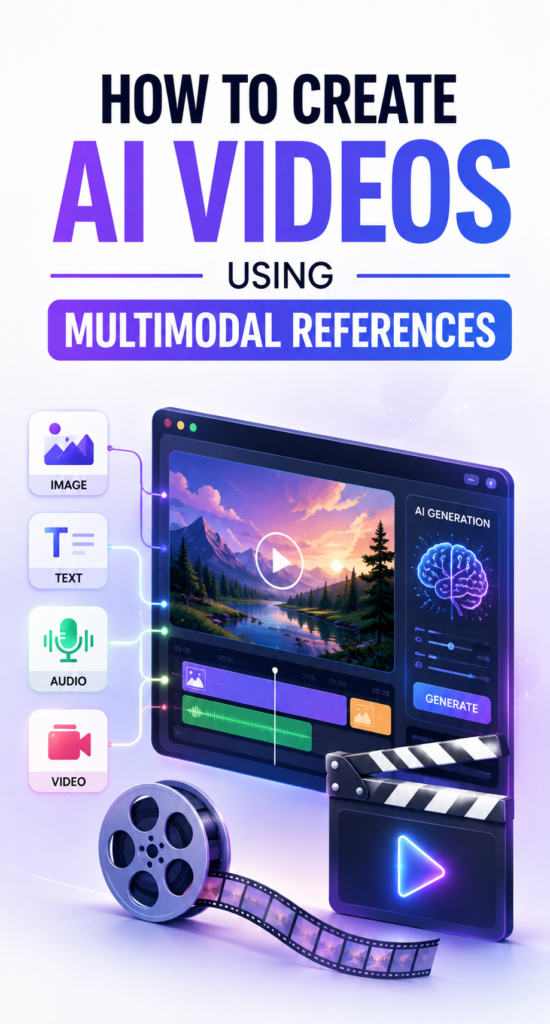
This is why more creators are learning how to create AI videos using multimodal references. Instead of relying on words alone, you feed the AI images, video clips, audio, and text at the same time. The AI uses all of these together to build a video that actually matches your idea.
In this guide, you will learn what multimodal references are, how to use them step by step, which tools support them, and the mistakes that quietly ruin most AI videos. By the end, you will know exactly how to create AI videos using multimodal references, even if you have never made a video before.
What Is a Multimodal Reference in AI Video Generation?
A multimodal reference is any piece of media you give an AI tool besides plain text. This can be a photo, a short video clip, a voice recording, or a piece of music. “Multimodal” simply means the AI is reading more than one type of input, or mode, at the same time.
Think of it like giving directions to a new employee. You could just tell them what to do. Or you could show them a photo of the finished product, play them a sample recording, and hand them a short clip of someone doing the task. The second approach almost always works better. That is what multimodal references do for AI video generation.
Why One Text Prompt Is Never Enough
Early AI video tools only accepted text. You typed a sentence, and the AI guessed the rest. The problem is that words are not precise. If you write “a woman in a red dress walking through a garden,” the AI has to guess her face, her hair, the exact shade of red, the garden layout, and the camera angle.
Every one of those guesses adds a chance of getting it wrong. A reference image removes the guesswork for the face and the dress. A video clip removes the guesswork for the camera movement. This is the core reason multimodal references produce better results than text prompts alone.
The Main Types of Multimodal References
Text Prompts
Text is still the base layer of any AI video. It tells the AI what should happen, who is involved, and what mood you want. A strong text prompt usually covers the subject, the setting, the camera style, the lighting, and the length of the clip. Even with strong image and audio references, a clear prompt helps the AI tie everything together.
Image References
Images are the most common reference type. You can upload a photo of a person, a product, a building, or an art style, and the AI will match its output to that image. This is especially useful for brands. If your logo, packaging, or product shot must look exactly right, an image reference does the heavy lifting that a text description never could.
According to Renderforest, uploading multiple images alongside a prompt lets the AI treat the visual material and the written instructions as one combined input rather than two separate signals. That combined reading is what keeps logos, characters, and products looking correct across a video.
Video Clip References
A short video clip teaches the AI how motion should behave. This includes camera panning, walking speed, facial expressions, and how a scene transitions into the next one. You are not asking the AI to copy the clip. You are showing it a pattern of movement to follow.
Audio and Voice References
Audio is easy to forget, but it shapes timing more than most people realize. A voice recording tells the AI how long a scene needs to last and where the emotional beats fall. Background music sets pacing too. A calm piano track and a fast drum beat will naturally push the AI toward very different edits, even with the same script.
Style and Brand References
This is one area most guides skip. Beyond photos and clips, you can also feed an AI your brand color codes, font choices, and past marketing videos as a style reference. This helps agencies and small businesses keep every video looking like it came from the same brand, even when different people are creating the content.
How AI Actually Combines These References
You do not need to understand the technical side to use these tools well, but a simple explanation helps you use them smarter. Modern AI video models convert every input, whether it is a word, a pixel, or a sound wave, into a shared numerical format the model can compare and blend. That is why a photo and a sentence can shape the same video together. The model is not choosing one input over another. It is weighing all of them at once and building a scene that satisfies as many of them as possible.
This is also why conflicting references cause problems. If your text says “blue jacket” but your image shows a green one, the AI has to pick a side, and the result is often a strange mix of both.
Step by Step: How to Create AI Videos Using Multimodal References
Here is the actual process, from a blank screen to a finished clip.
Step 1: Choose a tool that supports multiple reference types. Not every AI video generator accepts images, video, and audio together. Check the tool’s upload options before you start, since some only accept one file type at a time.
Step 2: Gather your references first. Pick your best product photo, a short clip that shows the camera movement you want, and any voice or music file. Doing this before you open the tool saves you from switching back and forth mid project.
Step 3: Write a short, clear text prompt. Describe the subject, the setting, the action, and the mood in two or three sentences. You do not need to describe details that your image or video reference already shows.
Step 4: Upload and label each reference. Most tools let you tag what each file represents, for example marking one image as the main character and another as the background. Labeling reduces confusion and gives you more control over the final result.
Step 5: Generate a short test clip first. Do not jump straight to a full length video. Generate a short version first so you can check character consistency, lighting, and pacing before spending more credits or time.
Step 6: Review and adjust one variable at a time. If something looks off, change only one input, such as swapping the reference image or rewriting one line of the prompt. Changing everything at once makes it hard to know what actually fixed the problem.
Step 7: Generate the final version and export. Once the test clip matches your vision, generate the full version and export it in the resolution and aspect ratio your platform needs, whether that is vertical for Reels or widescreen for YouTube.
This process works whether you are making a 10 second social clip or a longer marketing video, and it is the part most guides on this topic leave out entirely.
How Many References Can You Actually Use?
This is one of the most searched questions on this topic, and most articles never answer it with real numbers. Reference limits vary a lot between tools, so check the table below before you plan a project around a specific model.
| Tool or Model | Images | Video Clips | Audio | Notes |
|---|---|---|---|---|
| Vidu | Up to 7 | Not listed | Not listed | Strong for character consistency across shots |
| Seedance 2.0 (via Media.io) | Up to 9 | 1 clip, 2 to 14 seconds | 1 file, 2 to 14 seconds | Good all round balance |
| EaseMate multimodal generator | Up to 9 | Up to 3 clips | Up to 3 files | Up to 12 combined reference inputs |
| Seedance 2.5 | Up to 50 | Included in the 50 | Included in the 50 | Built for longer, more consistent projects |
If you are just testing the idea, a tool that accepts three or four references is plenty. If you are producing a longer story or a music video where the same character needs to appear many times, look for a model built for higher reference counts.
Best AI Video Tools That Support Multimodal References
There is no single best tool for everyone. The right pick depends on your budget, your skill level, and how much control you want.
- Vidu focuses on keeping characters, objects, and scenes consistent across multiple shots using reference to video generation.
- Media.io offers reference based generation with a choice between models, letting you pick Seedance for storytelling or Kling for realistic motion.
- Renderforest added multi image prompting so users can ground a video in real logos, characters, and product shots instead of describing everything in text.
- EaseMate AI supports a large combined input of images, audio, and video in one multimodal generation flow.
- Edimakor is built around flexible reference uploads for creators who want consistent characters and music across a video series.
- NoteGPT offers a simpler entry point for anyone who wants to turn a single image or prompt into a short video without a steep learning curve.
- Loova AI is another option worth testing if you want to combine text, images, and audio in one free workflow.
If you already make video content for a website or app, it is worth reading about how teachers are using Seedance 2.0 to create classroom content, since the same reference based workflow applies outside the classroom too. For a broader look at other AI tools worth trying, this list of Google Lens uses is a good next read.
Common Mistakes That Ruin Multimodal AI Videos
- Using a blurry or low resolution image as your main reference
- Mixing two different art styles in the same project, such as a cartoon character with a realistic background
- Writing a text prompt that contradicts your image, like describing a color the photo does not show
- Uploading noisy audio and expecting clean narration
- Forgetting to label which reference controls which part of the scene
- Skipping the short test clip and generating a full length video on the first try
Why Your AI Video Still Looks Inconsistent (Troubleshooting)
Even with good references, results can still drift. Here is why that happens and how to fix it.
The character’s face changes between scenes. This usually means your image reference was only used loosely by the model. Try a tool built for higher reference counts, and upload the same character from two or three different angles instead of one photo.
The video ignores your audio pacing. Some tools treat audio as background sound rather than a timing guide. Check whether your tool actually syncs scene length to the audio, since not all of them do this by default.
Colors or lighting shift halfway through. This often points to conflicting instructions. If your text prompt says “sunset lighting” but your reference image was shot in daylight, the model will split the difference and neither will look right.
The output feels generic despite your references. This is usually a prompt problem, not a reference problem. Go back and add specific, concrete details about the action and mood instead of general words like “nice” or “cool.”
Real Uses for Multimodal AI Videos
Marketing and product videos. Brands upload product photos, a script, and background music to produce ads without a traditional shoot. This keeps packaging, color, and logo placement accurate across every version.
Social media content. Creators reuse the same character or brand references to keep a consistent look across Reels, TikTok, and YouTube Shorts, which matters for anyone building a following, similar to how game trailers use consistent visuals to build interest before a launch.
Education. Teachers turn lesson scripts, diagrams, and narration into short explainer videos that are easier for students to follow than a slide deck alone.
Small business websites. A business that wants a strong first impression online often pairs its video content with a solid site. If you are also rebuilding your web presence, this comparison of custom websites versus WordPress for business is worth reading alongside your video strategy.
Storytelling and short films. Writers upload character art, voice recordings, and mood references to previsualize a story before committing to full production.
Is It Legal to Use Multimodal References?
This question comes up often and most articles on this topic skip it completely. You can generally use your own photos, your own voice, and licensed music without any issue. Problems come up when people upload images of real, identifiable people without their permission, especially public figures, or use copyrighted footage and songs as references without checking the tool’s license terms.
Before you publish a commercial video, check three things. First, make sure you have the rights to every image and audio file you uploaded. Second, read the AI tool’s terms on commercial use, since some free plans only allow personal projects. Third, if a real person appears in your reference material, get their consent before publishing, even if the final video looks stylized.
Does Multimodal AI Video Creation Cost Money?
Most tools mentioned in this guide offer a free tier, but the free version usually limits how many references you can upload, how long the video can be, or adds a watermark. Paid plans typically unlock higher reference limits, longer clips, and higher resolution exports. If you are just learning how to create AI videos using multimodal references, start on a free plan and only upgrade once you know which tool fits your workflow.
Quick Tips for Better Results
- Start with fewer references and add more only if the result needs it
- Keep every reference pointing toward the same style and mood
- Use a short test generation before committing to a full length video
- Save your best reference sets so you can reuse them for future videos
- Write your prompt in plain, specific language instead of vague adjectives
What Is Coming Next for Multimodal AI Video
AI video models are being trained to accept more reference types and longer clips at once. Tools like Seedance 2.5 now support far more references in a single generation than earlier models did, which points to where the whole category is headed. As reference limits grow and character consistency improves, expect shorter learning curves and fewer awkward glitches, even for people who have never edited a video before. You can already see this shift with newer models such as Seedance 2.5, which handles longer, more consistent scenes than earlier tools could manage.
Conclusion
Learning how to create AI videos using multimodal references comes down to one idea. The more clearly you show the AI what you want, through images, clips, audio, and text together, the closer the result will match your vision. Text alone leaves too much to guess. A few well chosen references remove that guesswork and give you a video that actually looks like the one in your head.
Start small. Pick one tool, gather three or four strong references, and run a short test clip before you commit to a full project. Once you see how much cleaner the results are, going back to text only prompts will feel like a step backward.
Frequently Asked Questions
What are multimodal references in AI video generation?
They are any non text inputs, such as images, video clips, audio, or voice recordings, that you give an AI tool alongside your prompt to guide the final video.
Why do multimodal references make AI videos better?
They remove guesswork. A photo shows exact colors and faces, a clip shows exact motion, and audio sets exact timing, so the AI has less to assume.
How many reference images can I use at once?
It depends on the tool. Most allow between three and nine images, while newer models like Seedance 2.5 accept far more for longer, more consistent projects.
Can beginners use multimodal AI video tools?
Yes. Most tools have simple upload screens and do not require any video editing background to get started.
Is multimodal AI video creation free?
Many tools offer a free plan with limits on length, resolution, or the number of references you can upload. Paid plans remove most of those limits.
What file types count as multimodal references?
Common types include JPG and PNG images, short MP4 or MOV video clips, and MP3 or WAV audio files, though exact support varies by tool.
Do I need a script before I start?
It helps. Even a two or three sentence outline of what should happen in the video makes your text prompt stronger and reduces the number of retries you need.
