



What Is COMcheck? A Complete Guide to COMcheck Software
If you are building, remodeling, or inspecting a commercial building, you have probably heard the word COMcheck. Maybe a plan reviewer asked for a COMcheck report. Maybe your architect mentioned it and moved on fast, like you already knew what it meant.
You are not alone if you feel a little lost here. Energy codes are confusing. They change often. They look different in every state. And most guides online explain COMcheck using words that only an engineer would understand.
This guide is different. It explains what is COMcheck in plain, simple words. No jargon. No fluff. Just a clear answer, backed by real information from the U.S. Department of Energy and the building code world, plus practical tips you can actually use on your next project.
By the end of this article, you will know what COMcheck is, how it works, who needs it, and how to use it without wasting time or money.
What Is COMcheck?
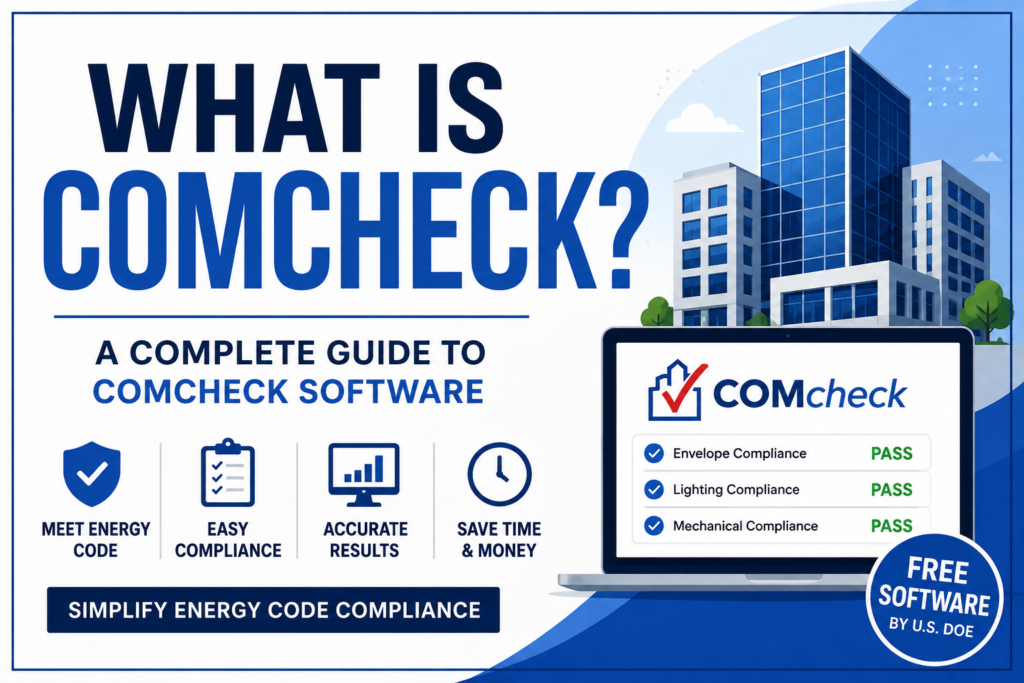
COMcheck is a free software tool made by the U.S. Department of Energy. It checks if a commercial building design meets the energy code.
Think of it like a spell checker, but for energy rules instead of grammar. You enter details about your building, like wall insulation, windows, lighting, and HVAC equipment. COMcheck compares those details to the energy code for your state. Then it tells you if your design passes or fails.
The tool is part of the DOE Building Energy Codes Program, and it works with the International Energy Conservation Code (IECC) and ASHRAE Standard 90.1, along with several state specific codes.
Most cities and counties in the United States now ask for a COMcheck report before they hand out a building permit for a commercial project. So if you are working on a new store, office, warehouse, school, or a tall residential building, you will likely run into COMcheck at some point.
Why COMcheck Matters
Energy codes exist for a real reason. Buildings use a huge amount of energy, and poor design wastes it. Better insulation, smarter lighting, and efficient HVAC systems cut down on wasted energy and lower utility bills for years.
COMcheck matters because it turns a complicated code book into a simple pass or fail answer. Without it, an architect or contractor would have to read through hundreds of pages of code language by hand. That takes forever and it is easy to make mistakes.
With COMcheck, you get:
- A quick way to check if your design meets code
- Official compliance certificates you can submit with your permit
- A tool that updates as codes change, so you are not guessing
- One system that works across many states, instead of learning fifty different rule sets
This is why COMcheck is trusted by architects, energy consultants, and even the plan reviewers who approve your permit. It removes the guesswork.
How COMcheck Works
COMcheck looks at three main parts of a building. Each part gets checked on its own.
Envelope This is the outer shell of the building. Walls, roof, windows, doors, and insulation all fall under this section. COMcheck checks if these parts keep heat in during winter and out during summer.
Lighting This section looks at how much power your lighting system uses. Interior lighting and exterior lighting are both checked separately.
Mechanical This covers your HVAC system and water heating equipment. COMcheck checks the efficiency of the equipment you plan to install.
Each section has to pass on its own. You cannot borrow extra efficiency from one part to save a weaker part in another. For example, super efficient lighting cannot make up for a poorly insulated roof. This rule surprises a lot of first time users, so it is worth remembering early.
Inside each section, though, COMcheck does allow some flexibility. You can trade off between different building materials or products within that same section. So if one wall assembly does not meet code, you might be able to use a better window to balance it out, as long as the whole envelope section still passes together.
COMcheck vs REScheck
People often mix these two up, so let us clear it up simply.
- COMcheck is for commercial buildings and tall residential buildings, usually four stories or more.
- REScheck is for regular homes, like single family houses and small residential buildings.
Both tools come from the same Department of Energy program. Both check energy code compliance. The only real difference is the type of building each one is built for. If you are working on a single family home, you likely need REScheck, not COMcheck.
Prescriptive Path vs Performance Path
This is one thing a lot of guides skip, but it matters a lot if you actually plan to use the software.
COMcheck offers two main paths to compliance.
Prescriptive path You follow a fixed checklist. Your walls need this much insulation. Your windows need this rating. Your lighting needs to use this much power or less. It is simple, but it gives you less freedom to change materials later.
Performance path Instead of following a fixed list, your whole building is judged as one system. If one part is weaker, a stronger part somewhere else can balance it out, within the rules of that section. Many architects prefer this path because it allows more design freedom.
Most projects use the prescriptive path because it is faster and easier to understand. But if your design has unusual features, like large window walls or a custom HVAC layout, the performance path often makes more sense.
Who Uses COMcheck?
COMcheck is not just for architects. A wide mix of people use it during a construction project.
- Architects and designers use it early, to shape the building envelope and system choices
- General contractors use it to confirm the final build matches the approved report
- Mechanical and lighting contractors use it to check HVAC and lighting specs
- Energy consultants use it to run full compliance reports for clients
- Building officials and plan reviewers use it to confirm a submitted project meets code before approving a permit
If your job touches any part of a commercial building’s design, walls, lights, or HVAC, there is a good chance COMcheck will show up in your workflow at some point.
How to Use COMcheck Step by Step
This is the part most guides rush through. Here is a simple walkthrough anyone can follow.
- Pick your version. Go to the official COMcheck page and choose COMcheck Desktop or COMcheck Web. Desktop is downloaded to your computer. Web works right in your browser with no download needed.
- Select your location. Choose your state and county. This tells the software which energy code applies to your project.
- Choose your code. Pick the IECC version or ASHRAE 90.1 version your local jurisdiction requires. If you are not sure, your local building department can tell you.
- Enter project details. Add your building type, floor area, and basic project info.
- Fill in the envelope section. Enter your wall type, roof type, window area, and insulation values.
- Fill in the lighting section. Add your fixture types and wattage for interior and exterior lighting.
- Fill in the mechanical section. Enter your HVAC equipment type and efficiency ratings.
- Check your results. COMcheck will show a pass or fail for each section, with the percentage you are above or below code.
- Print your report. If everything passes, print the compliance certificates and checklist. This is what you submit with your building permit.
If a section fails, go back and adjust one item at a time. Small changes, like a better window rating or slightly thicker insulation, often push a failing section into a pass.
What Is in a COMcheck Report?
A finished COMcheck report is not just one page. It usually includes:
- Envelope Compliance Certificate, showing your walls, roof, and windows meet code
- Interior Lighting Compliance Certificate, showing your lighting power meets code
- Mechanical Compliance Certificate, showing your HVAC and water heating meet code
- Project Summary, listing your location, climate zone, and building type
- Inspection Checklist, used by inspectors to confirm what was actually built matches the approved report
Keep a copy of this full report on the job site. Inspectors often ask to see it during a walkthrough, and it protects you if a question comes up later about what was approved.
Common COMcheck Mistakes to Avoid
Most competing guides never mention this, but these mistakes cause real delays on real projects.
- Picking the wrong code version. Local jurisdictions sometimes lag behind the newest IECC version. Always confirm with your building department before you start.
- Building something different from the report. If your report says a certain window rating and the crew installs a cheaper one, your project can fail final inspection. Whatever the report says must match what gets built.
- Skipping the mechanical section. Some people rush through HVAC entries and enter rough guesses. Use the actual equipment specs, not estimates.
- Forgetting exterior lighting. Interior lighting gets attention, but exterior lighting like parking lot lights and building mounted fixtures needs to pass too.
- Not saving the report file. If you need to make a small change later, having the original project file saves hours compared to starting over.
Avoiding these five mistakes alone will save most users a lot of back and forth with their local building department.
COMcheck Desktop vs COMcheck Web
Both versions do the same job, but they fit different situations.
COMcheck Desktop
- Downloaded and installed on your Windows computer
- Works without internet once installed
- Good for people who create many reports and want speed
COMcheck Web
- Runs in your browser, no download needed
- Works on Mac and Windows
- Good for quick, one off projects or occasional use
If you only need to run a report once in a while, COMcheck Web is the simpler choice. If you do this often, Desktop tends to feel faster once you learn it.
Is COMcheck Free?
Yes. COMcheck is completely free. It is funded by the Department of Energy and offered as a public tool to help the construction industry meet energy codes without extra cost.
Some companies do charge a fee to prepare a COMcheck report for you as a service, especially if you do not want to learn the software yourself. But the software itself never costs anything to download or use.
Tips to Pass COMcheck Faster
- Start with realistic material choices, not the cheapest option, so you avoid failing and redoing entries later
- Ask your local building department which code version they actually enforce, since it is not always the newest one
- Run the mechanical section early, since HVAC changes often affect the biggest chunk of your compliance percentage
- Save a copy of every report version, so you can compare what changed if a design update happens mid project
- If a section keeps failing, adjust one variable at a time so you know exactly what fixed it
These small habits save hours over the life of a project, especially on bigger commercial jobs with multiple design revisions.
Where COMcheck Fits Into Your Bigger Software Stack
COMcheck is one small but important piece of a much bigger picture. Modern construction and design teams now rely on software for almost everything, from managing project data to running the numbers that guide big decisions. If your firm is exploring better software development support for internal tools, or you want a partner to build custom platforms around your workflow, that kind of technical groundwork matters just as much as code compliance software.
Many architecture and construction firms are also leaning on business intelligence services to track project costs, compliance status, and energy performance data across multiple job sites at once. Pairing that kind of visibility with a tool like COMcheck gives a much clearer picture of where a project stands.
If your team handles a lot of technical documents, from COMcheck certificates to bid packages, workflow automation can also save serious time. A custom software development team can help build internal tools that pull data straight from reports like COMcheck into your project tracking system, instead of manual entry.
And for firms managing several projects with different code requirements across states, IT consulting support can help set up systems that keep everything organized in one place, instead of scattered spreadsheets and folders.
Even something as simple as clearer internal communication tools, built with the right digital transformation approach, can cut down the back and forth between architects, contractors, and building departments that so often slows down code compliance work.
Frequently Asked Questions
What is COMcheck used for?
COMcheck is used to check if a commercial building design meets energy code requirements for insulation, lighting, and HVAC systems before a permit is issued.
Is COMcheck required by law?
COMcheck itself is not a law, but most states and cities require proof of energy code compliance before issuing a commercial building permit. COMcheck is the tool most commonly accepted to provide that proof.
Can I use COMcheck for a house?
No. COMcheck is for commercial and tall residential buildings. For a single family home, use REScheck instead.
Does COMcheck work on Mac?
COMcheck Web works in any browser, including on Mac. COMcheck Desktop is built for Windows only.
How long does a COMcheck report take?
For a simple project, entering data and generating a report can take under an hour. Larger or more complex buildings can take several hours, especially if multiple design revisions are needed.
What happens if my COMcheck report fails?
You will need to adjust your design, such as adding insulation, upgrading windows, or choosing more efficient lighting or HVAC equipment, and run the check again until it passes.
Do I need to hire someone to run COMcheck?
Not always. Many architects and contractors run it themselves. But if your project is complex or you are short on time, hiring an energy consultant to prepare the report is common and often faster.
Final Thoughts
COMcheck is not as scary as it sounds once you break it down. It is a free tool that checks three simple things, your walls and windows, your lighting, and your HVAC system, against the energy code for your area.
Learn the basics once, and you will use this tool again and again on every commercial project you touch. Whether you are an architect, a contractor, or a building owner trying to understand what your team keeps talking about, you now know exactly what COMcheck is and how it works.
