



Top Ecommerce Tools Every Online Store Needs to Scale in 2026

Running an online store is exciting. But growing one? That’s a different story.
Most store owners try to do everything by hand. They write emails one by one. They track orders in spreadsheets. They guess which products are selling. Then they wonder why they’re working 12-hour days and still not growing.
The truth is simple: the stores that scale are the ones with better tools not better luck.
This guide will show you exactly which ecommerce tools you need, what each one does, how much they cost, and when to get them. Whether you’re just starting out or already making sales, you’ll find something useful here.
No fluff. No vague advice. Just real tools that real stores use.
What Are Ecommerce Tools (And Why Do They Matter)?
Ecommerce tools are apps and software that help you run your online store better. They handle things like:
- Sending emails to customers automatically
- Tracking where your visitors come from
- Showing you which products people click on
- Managing your stock so you never run out
- Making it easier for customers to check out
Think of your store like a restaurant. You are the chef. But without the right kitchen equipment ovens, knives, timers you can’t cook fast or well. Ecommerce tools are your kitchen equipment. They don’t replace you. They make you much better at what you do.
The right tools also save time. And in ecommerce, saved time means more time for things that actually grow your business, like finding great products, building your brand, or talking to customers.
The 8 Categories of Ecommerce Tools You Actually Need
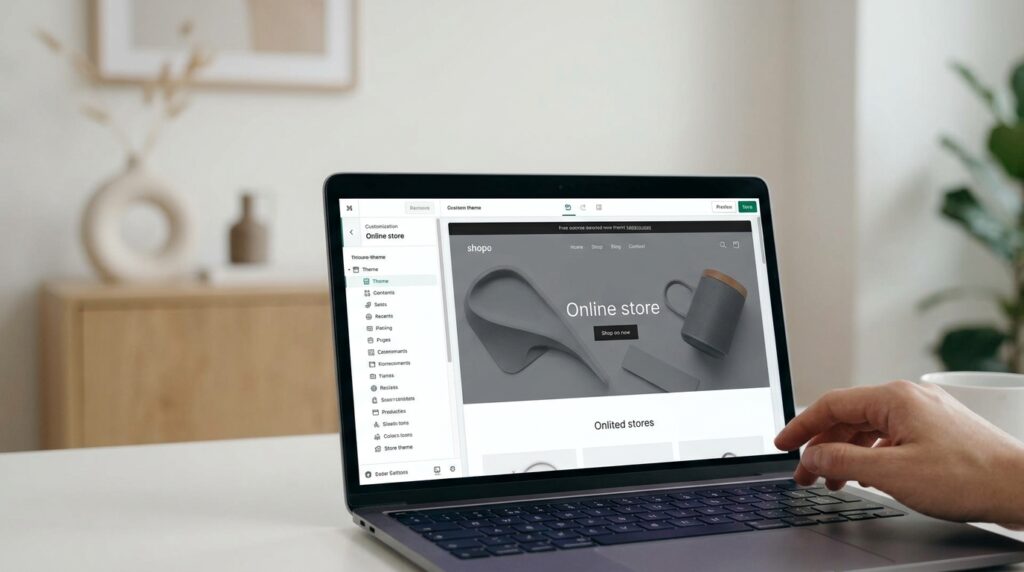
Here’s how to think about your “tool stack” — the collection of tools your store uses:
- Store Platform — where your store lives
- Email & SMS — how you talk to customers
- Conversion & Popup Tools — turning visitors into buyers
- Customer Support — helping people who need help
- SEO & Marketing — getting people to find you
- Analytics & Tracking — understanding what’s working
- Inventory & Operations — managing your stock and orders
- Shipping & Fulfillment — getting products to people
Let’s go through each one, with the best tools in every category.
1. Store Platforms: Where Your Business Lives
Your store platform is the most important decision you’ll make. Everything else connects to it. Getting this wrong at the start costs a lot of time and money to fix later.
Shopify — Best for Most Beginners and Growing Brands
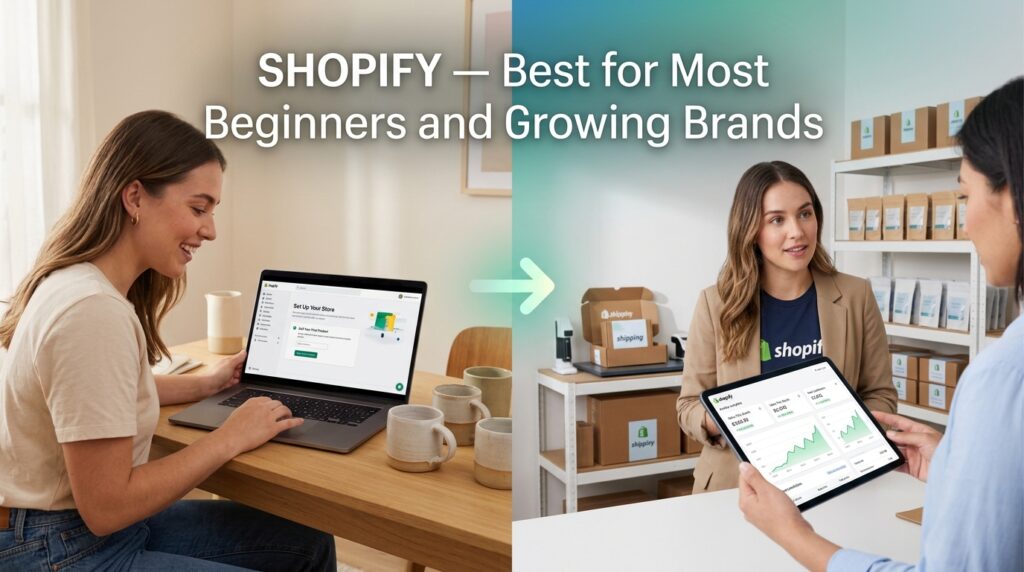
What it is: The most popular ecommerce platform in the world. It lets you build a store, take payments, manage products, and connect hundreds of apps all in one place.
Who it’s for: Anyone from a first-time seller to a brand doing millions per year.
Why it’s great:
- Easy to set up (no coding needed)
- Has an app store with 8,000+ tools
- Works well for dropshipping, print-on-demand, and physical products
- Built-in payment system (no need for a separate payment gateway to start)
What to know: You pay a small transaction fee unless you use Shopify Payments. Apps can add up in cost quickly, so choose wisely.
Pricing: Starts at $39/month. The $105/month plan is better for growing stores.
WooCommerce — Best for WordPress Users Who Want Control

What it is: A free plugin that turns a WordPress website into a full online store.
Who it’s for: People who already use WordPress or want full control over their store without paying monthly platform fees.
Why it’s great:
- Free to use (you only pay for hosting + add-ons)
- Extremely flexible you can customize almost anything
- Huge library of plugins and extensions
What to know: You’ll need to handle your own hosting, security, and updates. It takes a bit more technical knowledge than Shopify.
Pricing: Free plugin. Hosting costs $5–$30/month. Premium plugins vary.
BigCommerce — Best for Stores with Complex Needs
What it is: A hosted ecommerce platform built for bigger stores or brands with more complicated setups (like multiple currencies, B2B sales, or large product catalogs).
Who it’s for: Stores doing $100K+ per year or selling to other businesses.
Why it’s great:
- No transaction fees on any payment gateway
- Strong built-in SEO features
- Handles large product catalogs well
Pricing: Starts at $39/month.
Quick Comparison Table
| Platform | Best For | Monthly Cost | Ease of Use |
| Shopify | Most stores | $39+ | Very Easy |
| WooCommerce | WordPress users | $5–$30 (hosting only) | Medium |
| BigCommerce | Complex/large stores | $39+ | Easy |
| Wix eCommerce | Simple stores | $17+ | Very Easy |
2. Email & SMS Tools: Your Biggest Revenue Channel
Here’s a fact most beginners ignore: email marketing brings back $42 for every $1 spent. That’s higher than almost any other channel.
Email and SMS tools let you send the right message to the right person at the right time automatically.
Klaviyo — Best Email & SMS Tool for Ecommerce
What it is: The #1 email and SMS marketing platform built specifically for ecommerce. It connects to your store and triggers messages based on what customers do or don’t do.
Why it’s the best:
- Automatically sends abandoned cart reminders
- Sends “welcome” emails to new subscribers
- Segments your list based on purchase behavior
- Shows you exactly how much revenue each email made
Real example: A customer adds a product to their cart but doesn’t buy. Klaviyo sends them a reminder 1 hour later. If they still don’t buy, it sends another one the next day with a small discount. This alone can recover 10–15% of lost sales.
Pricing: Free for up to 250 contacts. Paid plans start at $20/month and scale with your list size.
Omnisend — Best Budget Option for Email + SMS Combined
What it is: Omnisend is an all-in-one marketing tool that combines email, SMS, and push notifications.
Who it’s for: Stores that want a slightly cheaper alternative to Klaviyo with similar features.
Why it’s great:
- Combines email + SMS in one affordable platform
- Pre-built automation flows (abandoned cart, welcome series, etc.)
- Easy to use for beginners
Pricing: Free plan available. Paid plans start at $16/month.
Postscript — Best for SMS-Only Marketing
What it is: An SMS marketing platform built just for ecommerce.
Who it’s for: Stores that want to focus heavily on text message marketing.
Why it’s great: SMS open rates are around 98% far higher than email. Postscript helps you build a phone number list and send targeted text messages that drive sales.
Pricing: Starts at $25/month.
Quick Tip: Start with Klaviyo. Set up three automations first: (1) Welcome email for new subscribers, (2) Abandoned cart reminder, (3) Post-purchase thank you. These three alone can add 15–25% more revenue without extra ad spend.
3. Conversion & Popup Tools: Turn Visitors Into Buyers
Getting traffic is hard. Letting visitors leave without buying is heartbreaking. Conversion tools fix this.
OptiMonk — Best Popup and Conversion Tool
What it is: A popup builder and conversion tool that shows targeted messages to visitors based on their behavior. It can capture emails, offer discounts, reduce cart abandonment, and more.
Why it’s great:
- 300+ ready-made popup templates
- AI-powered personalization (shows different messages to different visitors)
- Exit-intent popups catch people right before they leave
- Integrates with Klaviyo, Mailchimp, Shopify, and more
Real example: A visitor has been on your site for 60 seconds but hasn’t added anything to their cart. An OptiMonk popup appears offering 10% off their first order if they give you their email. Visitor subscribes. You just got a lead and a potential first sale.
Pricing: Free plan available. Paid plans start at $29/month.
Hotjar — Best for Understanding Why People Leave
What it is: A tool that records what visitors actually do on your site. You can watch screen recordings, see heatmaps (where people click), and run surveys.
Why it matters: You can’t fix what you can’t see. Hotjar shows you exactly where people get confused or give up so you can fix it.
Real example: You notice on a heatmap that almost nobody clicks your “Add to Cart” button. Why? The button is below the fold and people never scroll that far. You move it up. Sales improved by 20%.
Pricing: Free plan available. Paid plans start at €32/month.
Crazy Egg — Best for A/B Testing
What it is: A website optimization tool with heatmaps, A/B testing, and session recordings.
Why it’s different from Hotjar: Crazy Egg focuses more on running tests. You can create two versions of a page and see which one converts better.
Pricing: Starts at $29/month.
4. Customer Support Tools: Help People, Build Loyalty
A bad support experience kills repeat business. A great one creates fans. These tools make it easy to help customers quickly.
Gorgias — Best Customer Support Tool for Ecommerce
What it is: A helpdesk built specifically for ecommerce stores. It connects to Shopify (and other platforms) so your support team can see order details, refund customers, and cancel orders right from the support ticket without switching tabs.
Why it’s the best for ecommerce:
- All support channels in one place (email, chat, social media, SMS)
- Can automate answers to common questions (“Where is my order?”)
- Shows customer order history inside every ticket
- Tracks how much revenue your support team generates
Pricing: Starts at $10/month for small stores.
Tidio — Best Affordable Live Chat + Chatbot
What it is: A live chat and chatbot tool that lets you talk to visitors in real time and automate common answers.
Who it’s for: Small stores that can’t afford Gorgias or want a simpler solution.
Why it works: Many customers have quick questions before they buy (“Do you ship to Canada?” “What’s your return policy?”). Tidio answers these instantly, so visitors don’t leave to find the answer elsewhere.
Pricing: Free plan available. Paid plans start at $29/month.
Zendesk — Best for Larger Teams
What it is: The industry-standard customer support platform used by thousands of companies.
Who it’s for: Stores with dedicated support teams and high ticket volume.
Pricing: Starts at $49/month per agent.
5. SEO & Marketing Tools: Getting Found Online
You could have the best store in the world. If nobody finds it, it doesn’t matter. These tools help people discover you.
Ahrefs — Best SEO Tool Overall
What it is: The most powerful SEO tool available. Ahrefs shows you what keywords people search, what your competitors rank for, who links to your competitors, and how to improve your own rankings.
Why store owners love it:
- Find keywords your customers are searching right now
- See exactly which pages get your competitors the most traffic
- Track your own rankings over time
- Find broken links and fix SEO errors on your site
Real example: You sell handmade candles. Ahrefs shows you that “soy candles for anxiety” gets 8,000 searches per month and isn’t very competitive. You create a product page and a blog post for that keyword. Six months later, you’re on page 1.
Pricing: Starts at $129/month. Worth every cent if you’re serious about organic traffic.
Semrush — Best All-in-One SEO + Competitor Research
What it is: A full digital marketing toolkit with SEO, paid ads research, content tools, and competitor analysis.
Why it’s great: Semrush gives you a wider view than Ahrefs. It’s especially good for paid ads research and tracking your overall digital marketing performance.
Pricing: Starts at $139/month.
Google Search Console — Best Free SEO Tool
What it is: Google’s own free tool that shows you how your site performs in Google search.
Why you need it: It shows you exactly which keywords are sending traffic to your site, which pages rank, and if Google has any technical issues with your site. It’s free and every store should use it.
Pricing: 100% free.
Buffer — Best Social Media Scheduling Tool
What it is: A tool that lets you schedule social media posts in advance across Instagram, Facebook, TikTok, Pinterest, and more.
Why it matters: Consistency on social media builds an audience. Buffer makes it easy to batch your content creation and schedule it all at once.
Pricing: Free for basic use. Paid plans start at $5/month per channel.
6. Analytics Tools: Know What’s Working
Guessing is expensive. Data is cheap. These tools show you exactly what’s happening in your store.
Google Analytics 4 (GA4) — Best Free Analytics Tool
What it is: Google’s free website analytics tool. It tracks who visits your site, where they come from, what they do, and what they buy.
Why it’s essential: Every store should have this set up from day one. It’s the baseline for understanding your traffic and sales.
Pricing: Free.
Klaviyo Analytics — Best Email Revenue Tracking
If you’re already using Klaviyo for email, its built-in analytics show you exactly how much money each email and flow generates. This is often more useful than third-party tools for understanding email performance.
Triple Whale — Best Analytics Dashboard for Shopify Stores
What it is: An analytics platform built for Shopify stores that pulls together data from all your marketing channels (ads, email, social) into one clear dashboard.
Why stores love it: Attribution is a mess. Did that customer buy because of your Facebook ad or your email? Triple Whale helps you figure that out, so you spend ad money smarter.
Pricing: Starts at $129/month. Best for stores spending $5K+ per month on ads.
Hotjar (Mentioned Above) — Best for Behavior Analytics
Already covered in the conversion section, but worth mentioning here too. Understanding how people behave on your site is just as important as knowing how many people visit.
7. Inventory & Operations Tools: Keep the Backend Running Smoothly
As your store grows, keeping track of stock becomes a serious job. These tools prevent the two worst things that can happen: overselling (selling products you don’t have) and underselling (running out of a popular product).
Inventory Management with Shopify Built-In
If you use Shopify, its built-in inventory management handles basic needs well tracking stock levels, setting low-stock alerts, and managing product variants. For most stores doing under 1,000 orders per month, this is enough.
Linnworks — Best for Multi-Channel Inventory Management
What it is: An inventory and order management platform that syncs your stock across multiple selling channels — Shopify, Amazon, eBay, Etsy, and more.
Who it’s for: Stores selling on multiple platforms who need one central place to manage everything.
Why it matters: Without it, you might sell the same product on Shopify and Amazon without knowing one channel already sold the last unit.
Pricing: Custom pricing based on order volume.
Skubana / Extensiv — Best for High-Volume Operations
What it is: An advanced operations platform for stores processing thousands of orders per month.
What it does: Manages inventory, purchase orders, warehouse operations, and reporting in one place.
Pricing: Custom pricing. Best for stores at scale.
8. Shipping & Fulfillment Tools: Get Orders to Customers Fast
Shipping is where many stores lose customers. A bad shipping experience can mean a bad review and no repeat purchase. These tools make shipping faster and cheaper.
ShipStation — Best Shipping Management Tool
What it is: A tool that connects to all your sales channels and helps you print shipping labels, compare carrier rates, automate shipping rules, and track packages.
Why stores love it:
- Compares rates across USPS, UPS, FedEx, DHL, and more
- Batch-print hundreds of labels in minutes
- Automatically sends tracking numbers to customers
- Saves an average of 40–90% on some shipping rates vs. retail prices
Pricing: Starts at $9.99/month.
EasyPost — Best Shipping API for Developers
What it is: A shipping API that lets developers build custom shipping experiences into their store.
Who it’s for: Tech-savvy stores with custom shipping needs.
Pricing: Pay per shipment (no monthly fee).
AfterShip — Best for Order Tracking Notifications
What it is: A tracking platform that automatically sends shipping updates to customers via email or SMS.
Why it matters: “Where is my order?” is the #1 customer support question. AfterShip answers it automatically, reducing support tickets and increasing customer satisfaction.
Pricing: Free plan available. Paid plans start at $11/month.
The Free Tool Stack: Start Here If You’re on a Budget
If you’re just starting out and money is tight, here’s a complete stack using free or very cheap tools:
| Category | Free Tool | Monthly Cost |
| Store Platform | WooCommerce | $0 + hosting |
| Email Marketing | Klaviyo (free tier) | $0 |
| Analytics | Google Analytics 4 | $0 |
| SEO | Google Search Console | $0 |
| Customer Support | Tidio (free tier) | $0 |
| Social Media | Buffer (free tier) | $0 |
| Popups | OptiMonk (free tier) | $0 |
| Shipping | ShipStation (free trial) | $10/month |
Total monthly cost: Around $10
This is a real, working stack. You can run a legitimate ecommerce business on it.
The Growth Stack: Tools for Stores Making $5K–$50K Per Month
Once you’re making consistent sales, it’s time to invest in tools that compound your growth:
| Category | Tool | Monthly Cost |
| Store Platform | Shopify (Basic or Shopify plan) | $39–$105 |
| Email & SMS | Klaviyo | $30–$150 |
| Popups | OptiMonk | $29 |
| Customer Support | Gorgias | $10–$60 |
| SEO | Ahrefs | $129 |
| Behavior Analytics | Hotjar | $32 |
| Shipping | ShipStation | $30 |
| Loyalty & Reviews | Yotpo or Loox | $9.99–$99 |
Estimated monthly cost: $300–$600
At this stage, every dollar you spend on tools should generate at least $3–$5 back.
What Competitors Miss: 5 Tools Nobody Talks About Enough
Most articles about ecommerce tools list the same 10 tools over and over. Here are five that are genuinely underrated and can give you a real edge.
1. Loox — Visual Reviews Tool
What it does: Automatically asks customers to leave reviews with photos. Shows these reviews on your product pages as social proof.
Why it matters: Photo reviews convert much better than text-only reviews. Customers trust real photos from real buyers.
Pricing: Starts at $9.99/month.
2. Smile.io — Loyalty and Rewards Program
What it does: Lets you create a points-based rewards program for your store. Customers earn points for purchases, referrals, and social shares.
Why it matters: Returning customers spend 67% more than new ones. A loyalty program gives them a reason to come back.
Pricing: Free for basic features. Paid plans start at $49/month.
3. ReferralCandy — Word-of-Mouth Marketing
What it does: Creates an automated referral program where customers earn rewards for referring friends to your store.
Why it matters: A referred customer is more likely to trust your brand and has a higher average order value. Word-of-mouth is still the most trusted form of marketing.
Pricing: Starts at $59/month.
4. Yotpo — Reviews, Loyalty, and SMS Combined
What it does: An all-in-one platform for collecting customer reviews, building loyalty programs, and running SMS marketing.
Why it’s powerful: Having reviews, loyalty, and messaging in one platform means they work together. A loyalty member who gets an SMS about their points balance is more likely to return than someone who just gets a generic promotional text.
Pricing: Free for basic reviews. Paid plans vary.
5. AfterShip (Already Mentioned) — Post-Purchase Experience
This one bears repeating. Most stores obsess over getting the sale. The best stores obsess over what happens after. AfterShip keeps customers happy and informed after they buy which directly leads to repeat purchases
How to Build Your Tool Stack in the Right Order
This is the question most guides never answer: What order should I add tools?
Here’s the simple answer based on your current stage:
Stage 1: Just Starting Out (0–50 orders/month)
Focus on: Getting your store up and making your first sales.
Get these first:
- Shopify or WooCommerce (store platform)
- Google Analytics 4 (free tracking)
- Klaviyo free tier (email capture)
- Google Search Console (free SEO monitoring)
Don’t overthink it. One sale from a simple setup beats zero sales from a perfect one.
Stage 2: Getting Traction (50–300 orders/month)
Focus on: Converting more visitors and keeping customers coming back.
Add these next:
- OptiMonk (capture emails, reduce abandonment)
- Klaviyo paid (set up automation flows)
- Hotjar (see why people leave)
- ShipStation (speed up fulfillment)
- Tidio or Gorgias (handle customer questions)
Stage 3: Scaling Up (300+ orders/month)
Focus on: Optimizing every part of your funnel with data.
Add these last:
- Ahrefs or Semrush (grow organic traffic)
- Triple Whale (understand your marketing attribution)
- Loox or Yotpo (build social proof)
- Smile.io (build loyalty)
- ReferralCandy (create word-of-mouth)
- Linnworks (manage multi-channel inventory)
5 Mistakes to Avoid When Choosing Ecommerce Tools
Mistake 1: Adding Too Many Tools Too Soon
More tools = more complexity. Start with the basics and only add when you have a clear need. A tool you don’t use is just money wasted every month.
Mistake 2: Choosing Tools That Don’t Integrate
Your email tool needs to talk to your store. Your store needs to talk to your shipping tool. Before you pay for anything, check that it integrates with what you already use.
Mistake 3: Ignoring Free Tools
Google Analytics, Google Search Console, and Klaviyo’s free tier are genuinely powerful. Many stores making $10K per month are still using them.
Mistake 4: Paying for Analytics You Don’t Look At
Analytics tools are only useful if you actually check them and act on what you see. Don’t pay for data you ignore.
Mistake 5: Switching Platforms Too Often
Changing your email platform or store platform disrupts your data, your automation, and your team. Choose carefully and stick with it.
AI-Powered Ecommerce Tools in 2026
This is a category that barely existed two years ago and is now essential.
What AI Tools Can Do for Your Store
- Write product descriptions automatically
- Personalize the shopping experience for each visitor
- Predict which products will run out of stock
- Answer customer questions instantly (AI chatbots)
- Generate ad copy and email subject lines
- Analyze customer data to find patterns
Tools Using AI in 2026
Shopify Magic — built into Shopify, it can generate product descriptions, email subject lines, and even create basic images.
Klaviyo AI — helps you predict the best time to send emails to each subscriber and suggests content based on what’s worked before.
OptiMonk AI — personalizes popup content based on visitor behavior, so different visitors see different offers.
ChatGPT / Claude — used by many store owners to write product listings, email campaigns, blog posts, and ad copy. Not an “ecommerce tool” exactly, but part of nearly every growing brand’s workflow in 2026.
Frequently Asked Questions
What is the most important ecommerce tool for a new store?
Start with your store platform (Shopify or WooCommerce) and Google Analytics. Once you have those, the next most important tool is an email marketing platform like Klaviyo. Email is your highest-ROI channel, and the sooner you start building your list, the better.
How many tools do I actually need?
Less than you think. A store doing $10K per month can run on 4–5 tools. A store doing $500K per month might use 10–12. The key is that every tool has a clear job and integrates with the rest of your stack.
Are free ecommerce tools good enough?
Yes — at the beginning. Google Analytics, Klaviyo’s free tier, Google Search Console, and WooCommerce are all genuinely excellent. As you grow, the paid versions of these tools unlock features that pay for themselves. But starting free is smart.
What’s the best tool to increase conversions?
Hotjar to understand why people leave. OptiMonk to capture emails and reduce cart abandonment. Klaviyo to bring people back with automated emails. Used together, these three tools consistently lift conversion rates for most stores.
Do I need a separate CRM for my ecommerce store?
Not usually. Most ecommerce email platforms (like Klaviyo) act as a basic CRM. You can see each customer’s purchase history, segment by behavior, and personalize messages. You only need a separate CRM (like HubSpot) if you’re doing significant B2B sales or have a large sales team.
What’s the difference between a heatmap tool and an analytics tool?
Analytics tools (like Google Analytics) tell you what is happening how many visitors, where they came from, what they bought. Heatmap tools (like Hotjar) show you how visitors behave on the page where they click, how far they scroll, what they ignore. Both are useful and work best together.
How do I know if a tool is worth the money?
Ask one question: does this tool make me more money than it costs? If a $30/month email tool brings in $300/month in revenue from automated emails, it’s worth it. If a $150/month SEO tool helps you rank for keywords that bring 500 new visitors per month, it’s worth it. Always measure the impact of every tool you pay for.
What ecommerce tools work best with Shopify?
Shopify works well with almost everything. The best integrations include: Klaviyo (email), Gorgias (customer support), Hotjar (behavior analytics), ShipStation (shipping), Loox or Yotpo (reviews), and Triple Whale (marketing analytics). All of these connect to Shopify in a few clicks.
Final Thoughts
The best ecommerce tool is the one you actually use.
A $200/month analytics platform you never check is worse than a free spreadsheet you look at every day. Start simple. Add tools when you hit a clear problem they solve. And always measure whether each tool is earning its place in your stack.
The stores that scale to 7 and 8 figures aren’t using magic tools. They’re using the same tools listed here but they use them consistently, they learn from the data, and they keep optimizing.
Start with the basics. Build from there. One good tool used well beats ten mediocre tools used badly every single time.
