



10 Best Email Finder Tools for Lead Generation in 2026
Finding the right person is easy. Finding their email address? That’s where most people get stuck.
You spot the perfect lead on LinkedIn. Great title, great company, looks like a perfect fit. Then you hit a wall —there’s no email address anywhere. Now what?
This is exactly what email finder tools are for. They take a name and a company, and hand you back a working email address you can use to start a conversation.
Quick answer: The best email finder tools for lead generation in 2026 are Hunter.io (best for domain search), Apollo.io (best all-in-one sales tool), Skrapp.io (best for LinkedIn), Snov.io (best for cold email campaigns), RocketReach (best for executives), Lusha (best for phone numbers too), ContactOut (best for recruiters), Voila Norbert (best for one-off searches), Anymail Finder (best budget option), and UpLead (best for verified accuracy).
In this guide, we’ll cover all 10 tools in plain language, show you how they actually work, what they cost, and how to pick the right one. We’ll also cover things most “best email finder” articles skip — like how to find emails for free, how to check if an email is real, and whether any of this is even legal.
Let’s get into it.
What Is an Email Finder Tool? (Explained Simply)
An email finder tool is a piece of software that helps you find someone’s work email address.
You give it a name and a company. It gives you back an email address. That’s the basic idea.
Here’s how it actually works behind the scenes:
- It searches public sources — company websites, press releases, news articles, and public profiles.
- It checks email patterns — most companies use a pattern like [email protected]. If a tool already knows a few real emails from that company, it can guess the pattern for everyone else.
- It verifies the result — before showing you the email, good tools check that it’s spelled correctly, that the company’s domain accepts mail, and that the specific mailbox actually exists.
Think of it like a detective. It doesn’t already “know” everyone’s email. It collects clues, makes a smart guess, then double-checks the guess before handing it to you.
This is different from spam tools that just blast random addresses. A real email finder is built to find one specific person’s real, working email usually for sales, marketing, recruiting, or partnerships.
Email Finder Tools at a Glance
Here’s a quick side-by-side look before we go into detail. Prices change often, so always double-check on the company’s website before buying.
| Tool | Best For | Free Plan | Starting Price |
|---|---|---|---|
| Hunter.io | Domain searches | Yes (limited monthly searches) | ~$49/month |
| Apollo.io | All-in-one sales tool | Yes (generous credits) | ~$49/month |
| Skrapp.io | LinkedIn prospecting | Yes (100 credits/month) | ~$39/month |
| Snov.io | Cold email campaigns | Yes (50 credits/month) | ~$39/month |
| RocketReach | Finding executives | Limited free lookups | ~$39/month |
| Lusha | Email + phone numbers | Yes (limited credits) | ~$49/month |
| ContactOut | Recruiters | Yes (limited daily emails) | ~$49/month |
| Voila Norbert | Simple one-off lookups | Yes (50 free credits) | ~$49/month |
| Anymail Finder | Budget-friendly | Trial credits | ~$14–20/month |
| UpLead | Accuracy guarantee | 7-day trial | ~$74–99/month |
How We Picked These Tools
We looked at four things for every tool on this list:
- Accuracy — how often the email it finds actually works
- Ease of use — can a non-technical person figure it out in a few minutes
- Price vs. value — what you actually get for the money, not just the sticker price
- Extra features — things like verification, LinkedIn extensions, CRM integration, or phone numbers
We also checked real user reviews on G2 and Capterra, and tested the free plans ourselves where they were available. We left out tools with a long history of complaints about hidden charges or poor support.
The 10 Best Email Finder Tools for Lead Generation in 2026
1. Hunter.io — Best for Domain Search
Hunter.io is one of the most well-known email finders, and for good reason. Type in a company’s website (like “brightwave.com”), and Hunter shows you every email address it can find linked to that domain — along with a confidence score for each one.
Key features:
- Domain search shows all known emails for a company
- Confidence score tells you how likely an email is correct
- Chrome extension works directly on LinkedIn and company websites
- Built-in email verifier
Pricing: Free plan with a limited number of monthly searches. Paid plans start around $49/month for about 2,000 searches.
Good for: Anyone who wants a simple way to find emails by typing in a company website. The confidence score makes it easy to tell which results to trust.
Watch out for: Credits run out fast if you’re doing high-volume prospecting. It also mostly finds emails that are already public, so very private contacts may not show up.
2. Apollo.io — Best All-in-One Sales Tool
Apollo.io is more than an email finder. It’s a full sales platform with a database of over 275 million contacts, search filters, and built-in outreach tools.
You can search for people by job title, company size, industry, or location, find their email, and then send them a sequence of follow-up emails all without leaving the platform.
Key features:
- Huge contact database with detailed filters
- Built-in email sequences (automatic follow-ups)
- Email verification included
- Integrates with CRMs like HubSpot and Salesforce
Pricing: Free plan with a generous number of credits. Paid plans start around $49/month.
Good for: Sales teams who want prospecting and outreach in one place, instead of juggling separate tools.
Watch out for: It has a lot of features, so it takes longer to learn than a simple email finder. Email accuracy can vary depending on the industry and region.
3. Skrapp.io — Best for LinkedIn Prospecting
Skrapp.io is built around LinkedIn. Its browser extension lets you find someone’s email address right from their LinkedIn profile or from LinkedIn Sales Navigator search results.
It also works as a regular email finder using names and company domains, plus a built-in verifier.
Key features:
- LinkedIn and Sales Navigator browser extension
- Bulk email finder for lists of names
- Built-in email verification
- Database of 200+ million business profiles
Pricing: Free plan with 100 credits per month. Paid plans start around $39/month for 1,000 searches.
Good for: Anyone who spends a lot of time on LinkedIn looking for leads, recruiters included.
Watch out for: No phone number lookup, so if you need a multi-channel approach (email + calling), you’ll need a second tool.
4. Snov.io — Best for Cold Email Campaigns
Snov.io combines an email finder, an email verifier, and a drip campaign tool (a system that sends a series of follow-up emails automatically) in one platform.
This makes it a good fit if your goal isn’t just “find an email” but “find an email, then start a conversation.”
Key features:
- Email finder by name, domain, or LinkedIn URL
- Built-in email verification
- Drip campaigns with open and click tracking
- Works with HubSpot, Pipedrive, and Salesforce
Pricing: Free plan with 50 credits/month. Paid plans start around $39/month for 1,000 credits.
Good for: Small teams or solo founders who want to find leads and email them without buying a separate cold email tool.
Watch out for: The database is smaller than Apollo’s or RocketReach’s, so results outside North America and Europe can be less complete.
5. RocketReach — Best for Finding Executives
RocketReach has one of the largest databases out there — over 700 million professionals. Along with email addresses, it often returns phone numbers and social media profiles too.
This makes it especially useful when you’re trying to reach senior people, like VPs or C-level executives, who tend to be harder to find.
Key features:
- Massive database covering 700M+ professionals
- Returns email, phone, and social profiles
- Browser extension for LinkedIn and company sites
- Flags outdated or duplicate records
Pricing: Starts around $39/month for about 70 lookups.
Good for: Recruiters and sales reps targeting senior decision-makers, where having a backup contact method (like a phone number) really helps.
Watch out for: It’s priced per lookup, so high-volume users will burn through credits quickly compared to flat-rate tools.
6. Lusha — Best for Email + Phone Numbers Together
Lusha is built for speed. Its Chrome extension can reveal someone’s email address and direct phone number with one click while you’re browsing LinkedIn.
If your sales process includes both emailing and cold calling, Lusha covers both in one tool.
Key features:
- One-click email + phone reveal on LinkedIn
- Real-time contact data
- CRM integration (Salesforce, HubSpot)
- Bulk search for larger lists
Pricing: Free plan with a limited number of monthly credits. Paid plans start around $49/month.
Good for: SDRs (sales development reps) who call as well as email, and want both contact methods in one click.
Watch out for: Pricing is credit-based, so costs can climb quickly for high-volume teams. The database is smaller than Apollo’s or ZoomInfo’s.
7. ContactOut — Best for Recruiters
ContactOut is mainly known for pulling both personal and work email addresses plus phone numbers, straight from LinkedIn profiles. That’s especially handy for recruiters, since candidates don’t always check their work inbox for new opportunities.
Key features:
- Personal and work email lookup from LinkedIn
- Phone number finder
- Bulk search by uploading a list of names
- Chrome extension for one-click lookups
Pricing: Free plan with a small number of emails per day. Paid plans start around $49/month for unlimited emails with export limits.
Good for: Recruiters and hiring teams sourcing candidates, since a personal email often gets a faster reply than a generic company inbox.
Watch out for: It leans heavily on LinkedIn data, so it’s less useful if your leads aren’t active on LinkedIn.
8. Voila Norbert — Best for Simple, One-Off Searches
Voila Norbert keeps things simple. You type in a name and a company domain, and it gives you back an email verified, with a confidence level attached.
It also supports bulk uploads (a spreadsheet of names) if you need to search for more than one person at a time.
Key features:
- Single search by name + domain
- Bulk lookup via CSV upload
- Built-in email verification
- Browser extension and CRM integrations
Pricing: Free plan with 50 one-time credits. Paid plans start around $49/month for 1,000 leads.
Good for: Freelancers, small business owners, or anyone who just needs to find a handful of emails without learning a complicated tool.
Watch out for: The free plan is a one-time allowance, not monthly, so it runs out fast if you use it regularly.
9. Anymail Finder — Best Budget Option
Anymail Finder strips things down to the basics: enter a name and domain, get a verified email, pay less than most competitors. It’s one of the cheapest options on this list while still including real-time verification.
Key features:
- Email finder with real-time verification
- Bulk search via CSV
- API access for developers
- Browser extension
Pricing: Plans start around $14–20/month for a small batch of credits, going up from there.
Good for: Startups, solo founders, or anyone testing out email finding without committing to a bigger monthly bill.
Watch out for: No advanced filters like job title or industry it’s a straightforward finder, not a full prospecting platform.
10. UpLead — Best for Accuracy You Can Count On
UpLead’s biggest selling point is its accuracy guarantee. It verifies emails in real time before you spend a credit — meaning if an email turns out to be invalid, you generally don’t pay for it.
It also includes technographic data (what software a company uses) and intent data (signals that a company might be ready to buy).
Key features:
- Real-time verification before credits are charged
- 160+ million contact database
- Filters by job title, industry, company size, and technology used
- Chrome extension for LinkedIn and websites
Pricing: 7-day free trial with a small number of credits. Paid plans start around $74–99/month.
Good for: Teams that have been burned by bounced emails before and want a tool that backs up its accuracy claims with a guarantee.
Watch out for: It’s priced higher than most tools on this list, and there’s no ongoing free plan — just a short trial.
How to Find Someone’s Email for Free (No Tool Needed)
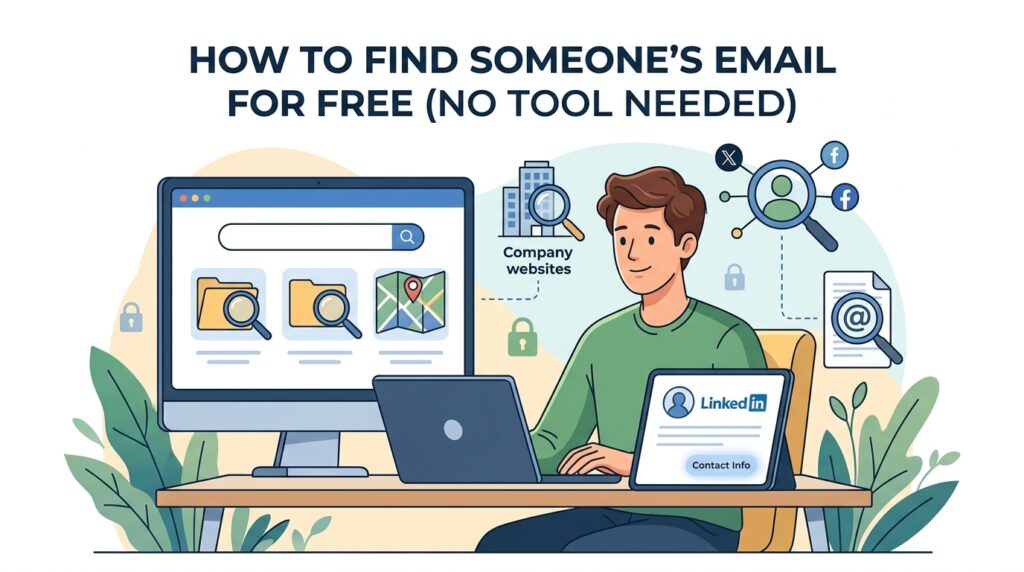
Before you pay for anything, it’s worth knowing you can find a lot of emails manually, for free. Here’s how.
1. Guess the email pattern
Most companies use the same format for every employee’s email. Common patterns include:
So if you’re trying to reach Sarah Johnson at BrightWave, try [email protected] first. If you already know one person’s email at that company, you’ve basically found the pattern for everyone else.
2. Check the company website
Look for “About Us,” “Team,” or “Contact” pages. Smaller companies often list staff emails directly.
3. Use a simple Google search
Try searching: "Sarah Johnson" "brightwave.com" or "Sarah Johnson" email. Sometimes a person’s email shows up in a PDF, press release, or old blog comment that Google has indexed.
4. Check LinkedIn’s contact info section
On some LinkedIn profiles, click “Contact info” near the top. People sometimes add their email here, especially if they’re open to networking.
5. Use a free browser extension
Tools like Hunter.io and Skrapp.io offer free Chrome extensions with a limited number of free lookups per month. These automate steps 1–3 for you.
The downside of manual methods? You’re guessing. A paid tool’s real advantage is that it verifies the guess before you waste time emailing a dead address.
Email Finder vs. Email Verifier: What’s the Difference?
These two terms get mixed up a lot, but they do different jobs.
- An email finder discovers an email address you don’t already have. You give it a name and company, and it searches and guesses to find a match.
- An email verifier checks whether an email address you already have is real and active. It doesn’t find new addresses — it confirms existing ones.
Here’s a simple way to remember it: a finder answers “what is this person’s email?” A verifier answers “does this email actually work?”
Many tools, like Hunter.io, Snov.io, and Skrapp.io, do both. That’s a good thing finding an email and verifying it in the same step saves time and keeps your bounce rate low.
How to Check If an Email Address Is Real (Before You Hit Send)
Sending to a fake or dead email hurts you. It can bounce, which damages your sender reputation and makes future emails more likely to land in spam.
Here’s how to check before sending:
- Use a verification tool. Most email finders include one. There are also standalone verifiers if you already have a list of emails to check.
- Look for obvious typos. “gmial.com” instead of “gmail.com” is a common mistake when emails are typed by hand.
- Check for a “catch-all” warning. Some company domains accept email sent to any address, even ones that don’t exist. A good verifier will flag this so you know the result is less certain (more on this below).
- Send a small test batch first. If you’re about to email 500 people, send to 20 first and watch your bounce rate before sending the rest.
A normal bounce rate for a healthy email list is under 2%. If you’re seeing more than that, something in your list or your verification process needs fixing.
Is It Legal to Find and Email People You Don’t Know?
This is one of the most common questions, and the short answer is: usually yes, for business emails, as long as you follow a few rules. (This isn’t legal advice check the laws in your specific country or state before running a campaign.)
In the United States, the CAN-SPAM Act applies. The main rules are:
- Don’t use a misleading subject line
- Include your real business address
- Include a clear way to unsubscribe
- Honor unsubscribe requests within 10 business days
In the European Union, GDPR applies. The main points are:
- You need a valid reason to contact someone (called “legitimate interest” for B2B outreach)
- You must let people opt out easily
- You can’t keep contacting someone after they’ve asked you to stop
The general rule of thumb: finding and emailing someone’s work email for a relevant business reason is normal and legal in most places. What gets people in trouble is buying huge, unverified lists and blasting them with irrelevant offers, ignoring opt-out requests, or hiding who the email is really from.
What Does “95% Accurate” Actually Mean?
Almost every email finder advertises a high accuracy number 90%, 95%, sometimes higher. Here’s what’s actually behind that number, and why your real-world results might look different.
Accuracy usually means: “this percentage of emails we return pass our verification check (correct format, real domain, mailbox appears to exist).”
It usually does NOT mean: “this percentage of people will open or reply to your email.”
Here’s why the gap exists:
- Catch-all domains mess with verification. If a company’s mail server accepts anything sent to @company.com, a verifier can’t always tell if a specific mailbox is real.
- People change jobs. A perfectly correct email for someone’s old company won’t reach them anymore.
- Spam filters can block a technically “valid” email before a human ever sees it.
What this means for you: treat advertised accuracy numbers as “how good is the data,” not “how many replies will I get.” Even with the best tools, expect some bounces anything under 2-5% is normal and healthy.
5 Mistakes People Make When Using Email Finder Tools
1. Buying a huge list and skipping verification
A list of 10,000 unverified emails sounds great until half of them bounce and your sender reputation takes a hit.
2. Ignoring catch-all warnings
If a tool flags an email as “catch-all” or “risky,” don’t treat it the same as a verified one. Double-check it manually before adding it to a big campaign.
3. Sending too many emails too fast
A brand-new email account that suddenly sends 500 emails in one day looks like spam to email providers even if every address is real. Build up your sending volume gradually (this is called “warming up,” and we’ll explain it below).
4. Treating every found email the same way
Just because you have someone’s email doesn’t mean a generic, copy-paste message will work. A relevant, personalized first line matters more than the tool you used to find the address.
5. Forgetting to clean your list over time
People change jobs, companies merge, domains expire. A list that was 95% accurate six months ago might be 80% accurate today. Re-verify older lists before reusing them.
How to Use an Email Finder Tool: Step-by-Step
If you’ve never used one of these tools before, here’s the basic process it’s almost the same across all of them.
- Pick a tool that fits your need. Domain search for company-wide lookups, LinkedIn extension if you prospect there daily, or an all-in-one tool if you also want outreach.
- Sign up for the free plan first. Test accuracy with a small batch before paying for anything.
- Search by name + company, or by domain. Type in what you know — a person’s name and company, or just a website.
- Check the confidence score or verification status. Don’t blindly trust every result — prioritize “verified” or “high confidence” ones.
- Export the results. Most tools let you download a CSV or push results directly into a CRM like HubSpot or Salesforce.
- Re-verify before a big send. Even verified results can go stale. If your list is more than a few weeks old, run it through a verifier again.
- Start your outreach. Use a personalized message, and if you’re sending in bulk, send in small batches first.
What’s New in Email Finding for 2026
A few things have changed in how these tools work compared to a couple of years ago:
- Real-time checking is now standard. Instead of pulling from an old, stored database, more tools now check live whether an email and domain are active at the moment you search which means fresher results.
- AI helps fill in the gaps. When a tool can’t find a direct match, AI-based tools now combine multiple data sources and patterns to make a smarter guess, then verify it before showing it to you.
- Privacy rules keep tightening. More countries and U.S. states have added their own privacy laws on top of GDPR and CAN-SPAM. This makes the “unsubscribe and respect opt-outs” habit more important than ever, no matter which tool you use.
- Tools increasingly combine data sources. Rather than relying on one database, some platforms now check several providers at once and use whichever one returns a verified result so if one source misses, another can catch it.
None of this changes the basics: find, verify, personalize, send responsibly. The tools just get a bit better at the “find” and “verify” parts each year.
Simple Glossary: Email Finder Terms Explained
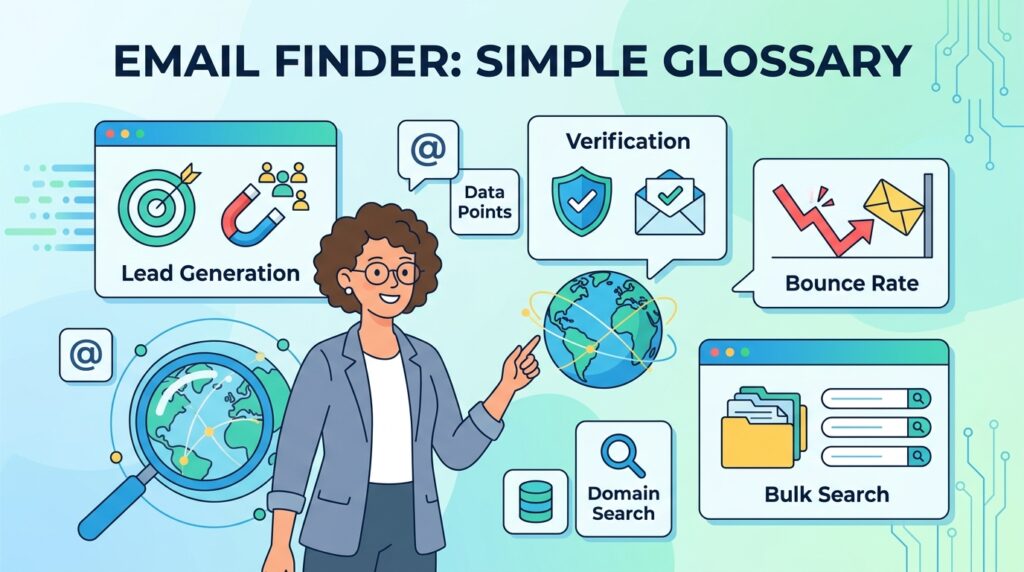
- Lead — a person or company that might become a customer.
- Domain — the part of an email address after the @ symbol (e.g., “company.com”).
- Credit — in most pricing plans, one credit usually equals one search or one verified result.
- Bounce rate — the percentage of emails that fail to deliver. Under 2% is healthy.
- Catch-all domain — a company mail server set up to accept email sent to any address at that domain, even ones that don’t exist. This makes it harder for verifiers to confirm a specific mailbox.
- CRM — short for Customer Relationship Management. It’s the software (like HubSpot or Salesforce) where businesses store contact and lead information.
- Cold email — the first email you send to someone who doesn’t know you and didn’t ask to hear from you.
- Drip campaign — a series of follow-up emails sent automatically over time, like “email 1 today, email 2 in three days if no reply.”
- Domain warm-up — gradually increasing how many emails you send from a new email account or domain, so email providers don’t flag it as spam.
What to Do After You Find an Email (The Next Step)
Finding the email is only step one. Here’s what actually turns a found email into a real lead.
1. Verify it (again, if it’s been a while)
Even a verified email can go stale after a few weeks. Re-check before a big send.
2. Warm up your sending account
If you’re using a new email address or domain for outreach, start small — 10 to 20 emails a day for the first week or two then slowly increase. This builds trust with email providers like Gmail and Outlook, so your messages land in the inbox instead of spam.
3. Personalize the first line
Mention something specific their company, a recent post they made, or a clear reason you’re reaching out. This matters more for getting a reply than almost anything else.
4. Set up a short follow-up sequence
Most replies come after the second or third email, not the first. A simple 3-email sequence spaced a few days apart works well for most outreach.
5. Track what’s working
Watch your open rates, reply rates, and bounce rates. If bounces creep up, pause and re-verify your list. If replies are low but opens are high, the issue is probably your message, not your email list.
6. Keep your list clean
Remove bounced emails and anyone who unsubscribes. A smaller, clean list outperforms a larger, messy one almost every time.
You can read here for Email Management
Quick Tips for Better Results
- Start with free plans. Test accuracy on 10-20 contacts before paying for a bigger plan.
- Combine pattern guessing with verification for a free first pass on smaller lists.
- Don’t blast your whole list at once send a small test batch first.
- Re-check old lists. People change jobs more often than you’d think.
- Use a separate email address or domain for cold outreach, so your main business email stays protected if something goes wrong.
- Always include an easy way for people to opt out, even if you’re not legally required to in your area.
Final Thoughts: Which Email Finder Should You Choose?
There’s no single “best” tool it depends on what you’re trying to do.
- Just need to find emails by company domain? Start with Hunter.io.
- Want prospecting and outreach in one place? Apollo.io covers both.
- Spend most of your day on LinkedIn? Skrapp.io or Lusha fit naturally into that workflow.
- Want to find emails and send follow-ups without extra tools? Snov.io.
- Targeting senior executives or hard-to-find people? RocketReach or ContactOut.
- Just need a handful of emails occasionally? Voila Norbert or Anymail Finder are simple and cheap.
- Tired of bounced emails and want a guarantee? UpLead.
Whichever you pick, the tool itself is only half the job. Verifying your results, sending responsibly, and following up matter just as much sometimes more than which logo is on the software.
FAQs
What is the best email finder tool in 2026?
It depends on your goal. Hunter.io is best for simple domain searches, Apollo.io is best if you want an all-in-one sales platform, and UpLead is best if accuracy matters most to you.
Are email finder tools free?
Most offer a free plan with a limited number of searches per month usually somewhere between 25 and 100. These are good for testing accuracy before you commit to a paid plan.
How accurate are email finder tools?
Top tools typically find correct, working emails 85-95% of the time for business contacts. Accuracy drops for personal emails, smaller companies, or people who’ve recently changed jobs.
Is it legal to use email finder tools for outreach?
Yes, in most places, as long as you follow basic rules: don’t mislead people, include your real contact details, and give recipients an easy way to opt out. In the US, this falls under CAN-SPAM. In the EU, GDPR applies.
Can I find someone’s email without paying for a tool?
Yes. You can guess common email patterns (like [email protected]), check a company’s website, search Google for the person’s name and company, or check LinkedIn’s contact info section.
What’s the difference between an email finder and an email verifier?
A finder discovers an email you don’t have yet. A verifier checks whether an email you already have is real and deliverable. Many tools do both.
Do email finders work for personal Gmail or Yahoo addresses?
Rarely. These tools are built to find work emails tied to a company’s domain. Personal email addresses aren’t usually part of their databases.
How many cold emails can I send per day safely?
If you’re using a new email account, start with around 10-20 per day and slowly increase over a few weeks. Established accounts with a good sending history can usually handle 100-200+ per day, as long as the list is clean and verified.
Which email finder has the best free plan?
Skrapp.io’s free plan (100 credits/month) and Hunter.io’s free plan are both solid starting points for testing accuracy without paying anything.
Why do emails sometimes bounce even after using a verified tool?
People change jobs, companies merge or shut down, and some domains use catch-all settings that make verification less certain. A small bounce rate (under 2%) is normal even with verified lists anything higher means it’s time to re-verify.
